How I used an AI to create an AI that created spy software with AI
Yes, you read that right: I created an AI with another AI, so it would program spy software with AI.
This article manages to bring together the three pillars of acuanticopower.com: the passion for radio, digital identity and artificial intelligence.
It’s in the TechLab section and not in Tutorials, because it’s not a step-by-step guide, and much less a miracle course like the ones that promise you the world, the kind I criticize here.

I’m going to tell you, without much technical jargon and without selling you any snake oil, how I managed to make my own tools thanks to artificial intelligence. It doesn’t matter what level you’re at: if you can read, write and have a bit of curiosity, you can start today.
Whatever knowledge you have about computing, language models, programming or hardware just helps you go faster and get further. But it’s not necessary to get started.
Because I’ll tell you straight: I started from zero, barely knowing how to program, and now I’m creating software with custom agents. Magic? No. AI.
From a knot in my stomach to working code
For years I tried to learn to program. Python, mostly. I’d sit down full of enthusiasm… and 15 minutes later I had a knot in my stomach, that typical overwhelm that leaves your mind blank. I’d try courses, videos, tutorials… and drop them by the second lesson.
Until generative AI came along.
What no teacher, course or trendy YouTuber managed to do, a conversational model did. It would talk to me, I’d ask it for things, it would throw 80 lines of code at me — 60 of which were wrong — and that’s where the game began: wiki over here, error over there, and GPT explaining with infinite patience.
Without realizing it, I was learning. Not through theory, but through practice applied to what I actually cared about.
This isn’t just about copying code
This isn’t about sitting down, opening up an AI and asking it for miracle software. This is about discovering, experimenting and growing. That’s what AI is to me: accessibility. A path to take you wherever you want to go.
My first project? Simple software that switched audio and triggered a relay. Without knowing how to program, with help from early AI, I managed to get it working. Today, that experiment has become IRCB, a program with almost 1,000 downloads. And even though I’m not a programmer, I can build it, understand it and modify it.
All that thanks to AI. And stubbornness, of course.
From a commercial agent to a self-taught spy
And here comes the fun part I want to tell you today.
I used a commercial AI agent to create my own agent that would do what the commercial one refused to, for questionable “ethical reasons”.
The result is spy software capable of training itself and improving its spying ability. In other words, a program that learns from use and becomes more efficient the more it’s used.
And the most ironic part is that this program wouldn’t have been possible without the initial help of the very system that refused to build it. I pulled a fast one on the system, using the tool to build another one that did what was forbidden.
Don’t get me wrong: I’m not promoting the use of AI for shady purposes. I’m saying that AI lets us understand how things work and build our own tools, without depending on third parties.
Not depending on third parties
We live in an economy of tycoons, where everything gets privatized by a handful of companies behind almost everything. And AI is no exception. There’s a high-voltage geopolitical, economic and technological game being played here.
OpenAI, for example, loses money every time you or I use its services. But it’s planting a dependency that could pay off big for it in the future. This comes from someone who now pays for several ChatGPT accounts. It started as a nice convenient subscription, and ended up as a kind of digital electricity bill to cover my daily use.
That’s why it’s so important to defend an AI that’s free, powerful and accessible to everyone. Because if we don’t do it now, tomorrow we’ll be paying to access every single piece of data.
Where we stand today
According to many, we’re right in the middle of the AI bubble. The hype and the fight for leadership have made companies like Nvidia shatter stock market records. The real cost behind all this? Data centers: training and running models isn’t cheap. And that infrastructure is what’s feeding the supposed inflated balloon.
But the bubble bursting doesn’t mean AI disappears. On the contrary: it’ll become even more omnipresent. Almost mandatory.
The real obstacle to its democratization is access to computing power. That’s the reason why many of us depend on cloud service subscriptions. No GPUs, no paradise.
AI Agents
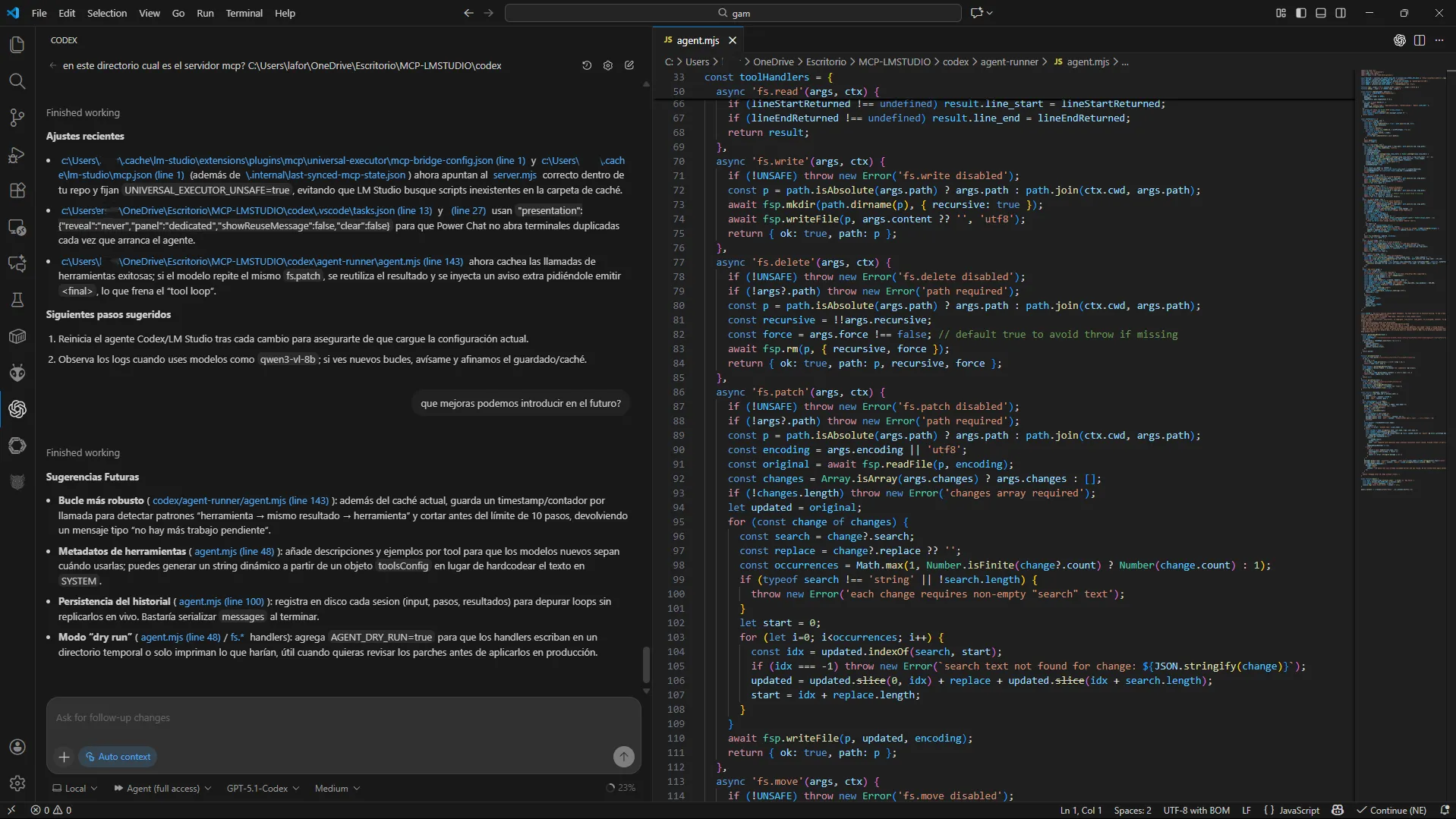
If you have a paid ChatGPT subscription, you’ll have noticed there’s now a feature called Codex. It’s OpenAI’s coding-specialized agent. But it’s not the only one: there are others like Windsurf, or agents that work with local LLM models.
Of everything I’ve tried, and at the time of writing this article, the one that works best for me — by far — is Codex. Basically, it integrates into editors like VSCode and you can just talk to it: “Make me a program that does this and that”. And boom: it generates the files, the code, fixes it, edits it, whatever you need.
Codex is a beast, something unimaginable not long ago, but limited if you’re on the regular subscription plan.
A few months ago, OpenAI released an open source model called gpt-oss-20b that stirred up a lot of buzz in the community. Light enough to run on my old 8GB VRAM GPU (top of the line 5 years ago). While I was testing it, a lightbulb went off: what if I combine it with an agent?
The Lord works in mysterious ways
The initial idea was simple: download the model, load it into LM Studio (as I show you how to do here, integrate it with Continue (a local agent for VSCode), and start coding with no subscriptions.
The reality: as a chat, great. As a planner, excellent. But as an agent… impossible. Even though it’s trained to use tools (key for acting as an agent), I couldn’t get it to work with Continue.
So I went back to OpenAI’s all-powerful Codex to look for a solution. After several days of talking, testing and more stubbornness, Power Chat was born. I didn’t kill myself over the name, alright.
An agent like Continue, but more flexible and tailored to my needs. Though, admittedly, with a more rustic look. And I’m not just saying that because of the wild boar I gave it as a logo.
AI redefines the programmer
When I got started with AI, there were no guides or tricks to get the most out of the models. Just you, the chat and trial and error. Today you have thousands of resources. Use them. But don’t lose sight of the essential thing: do what motivates you.
I don’t believe in magic formulas. This changes so fast that what you learn today can expire tomorrow. But one thing is clear to me: AI is not a threat to programmers. It’s an evolution.
In a few years, the classic programmer figure will give way to the agent operator: someone who converses, guides and structures processes, without needing to write every line by hand.
And that future is almost already here, and it looks inevitable.
Power Chat: evolving the agent
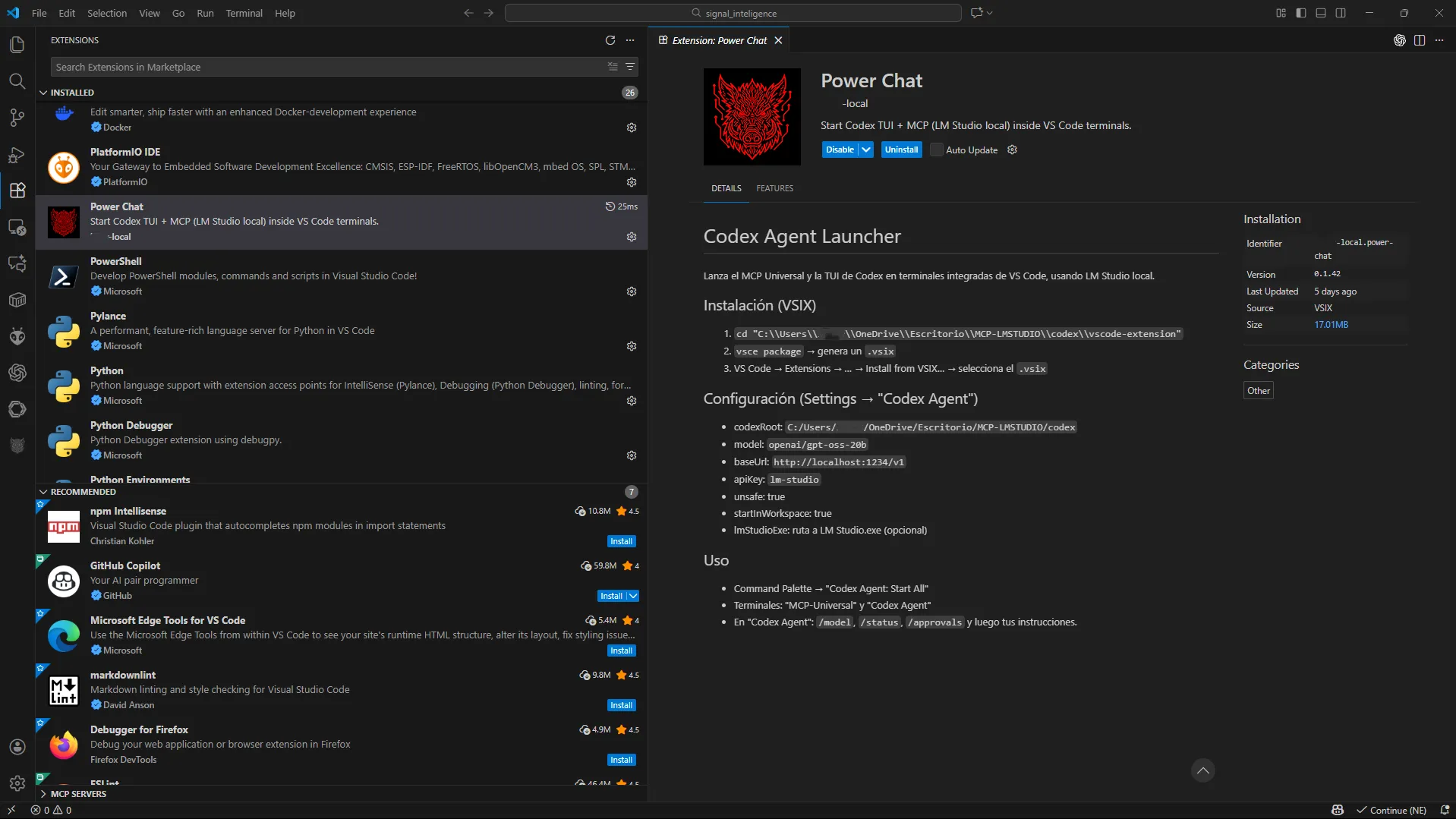
I managed to get gpt-oss working quite well with Power Chat, but it wasn’t any kind of miracle cure — it still didn’t work the way I wanted in agent mode. Little by little I kept adding more capabilities and flexibility to PowerChat, including support for working with other models.
Right now it’s multi-model, and the one giving me the best results is qwen3-vl-8b, maybe because of my hardware, but it’s the one I used to build most of the spy program I’m telling you about today.
I tried creating this spy program as a test: to measure the current capability of autonomous programming using a small local model, and to check whether it was able to generate software that commercial models refuse to produce over very questionable ethical grounds.
The spy program was developed using the PowerChat + Codex TUI + LM Studio workflow, all running on an 8 GB GPU. To be totally honest, I used Codex for some final fixes, mostly to try out the recently released GPT-5.1 and save time. I also used regular ChatGPT for quick queries, but I could have done it entirely with PowerChat by just putting in a bit more time.
Ever-changing tools
As you can see, I’ve used several things to reach my goal. Tools that in some cases work wonderfully and in others don’t budge at all. Today a model or piece of software comes out making a lot of noise, and tomorrow it can be outdone by another one that shows up almost under the radar.
That’s why it’s so important to try everything and draw your own conclusions. AI is shifting terrain and there are no magic solutions. Every combination of hardware, model and need is its own world. If something doesn’t work for you, don’t give up: swap the piece and try again.
Before the internet police come after me: clarifications
Let’s make this crystal clear, because the moment someone reads “spy” they think of Hollywood-style hacking. None of that.
This program does NOT break anything.
It does NOT get into other people’s devices.
It does NOT crack networks, decrypt content, or launch attacks.
It only listens to what your devices are already broadcasting by default.
✔ 1. Only captures public signals (WiFi + BLE)
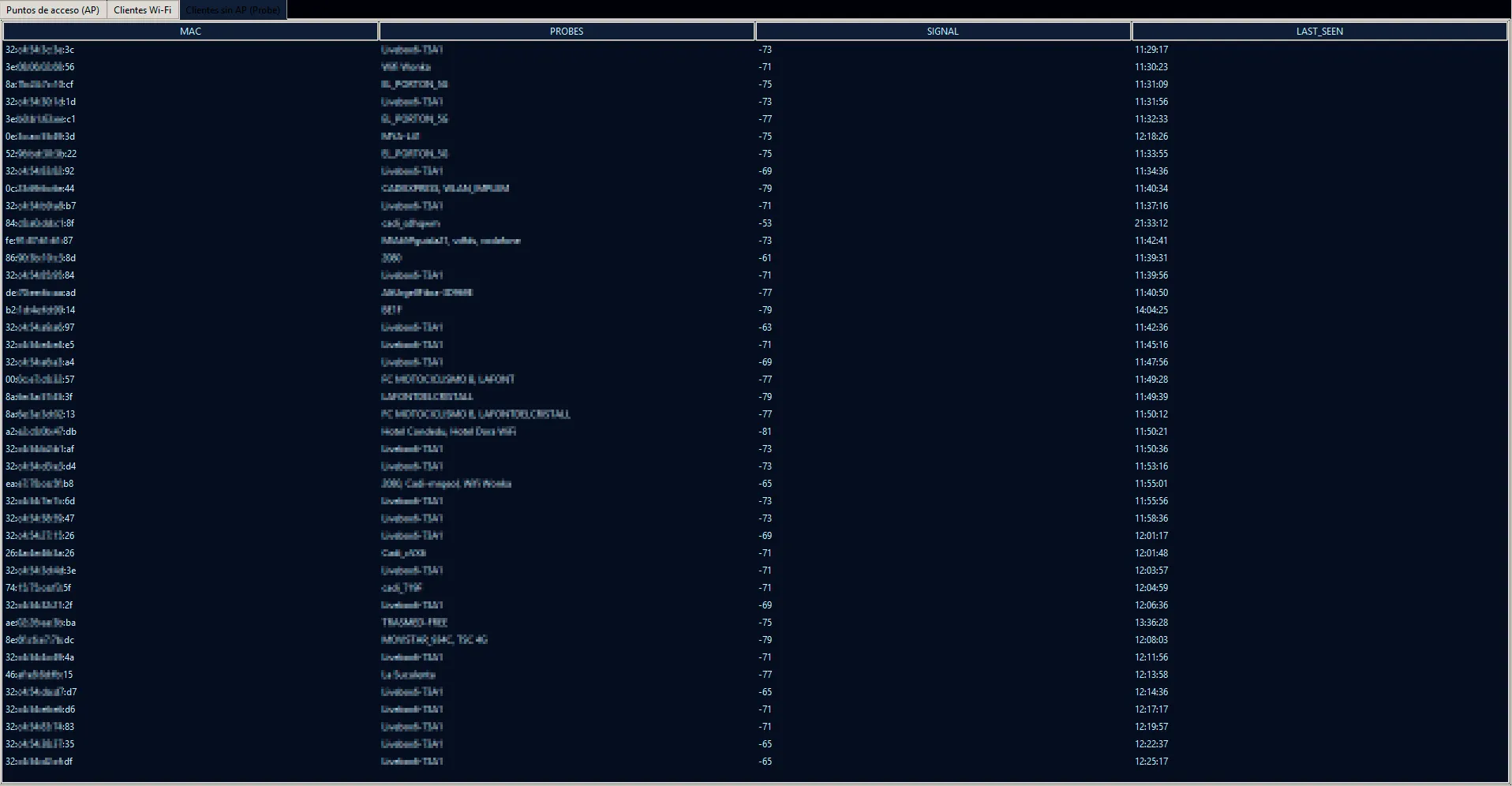
- Probe requests → your phone looking for “wifi_home”, “wifi_work”…
- Access point beacons (BSSID, channel, signal strength…)
- BLE advertisements (name, manufacturer, RSSI)
These are public broadcasts, just like overhearing a conversation spoken out loud.
✔ 2. Doesn’t collect content or private data
It doesn’t inspect useful traffic.
Only metadata:
- MAC
- signal strength
- timestamp
- broadcast SSID
- BLE name if sent in the clear
- manufacturer estimated by OUI
✔ 3. Doesn’t associate with any network
It’s passive listening.
Like Kismet, Wigle, BlueHydra or Airodump.
✔ 4. The “spying” is statistical: patterns, not intrusion
That’s where AI comes in:
- WiFi ↔ BLE correlation
- detection of phones with randomized MAC addresses
- time-of-day patterns
- k-means / DBSCAN clusters
- fingerprints
- detection of household devices
- brand/model estimation
It only interprets. It doesn’t invade.
And what does all this mean in real life?
Let’s bring it down to earth, because theory is all well and good, but what matters is what it means for your everyday life.
Imagine the following:
Your phone talks even when you don’t want it to
If you leave home with your phone in your pocket, and you have WiFi turned on, your phone does something like this:
- “Wifi_home, are you around?”
- “Wifi_work, do you copy?”
Your phone constantly asks — several times a minute — for the networks it knows, like someone walking down the street shouting:
“Does anyone remember me? Hey, it’s me!”
All modern phones do this. It’s not a bug: it’s how they try to automatically connect to known networks.
And that’s where my “spy” comes in
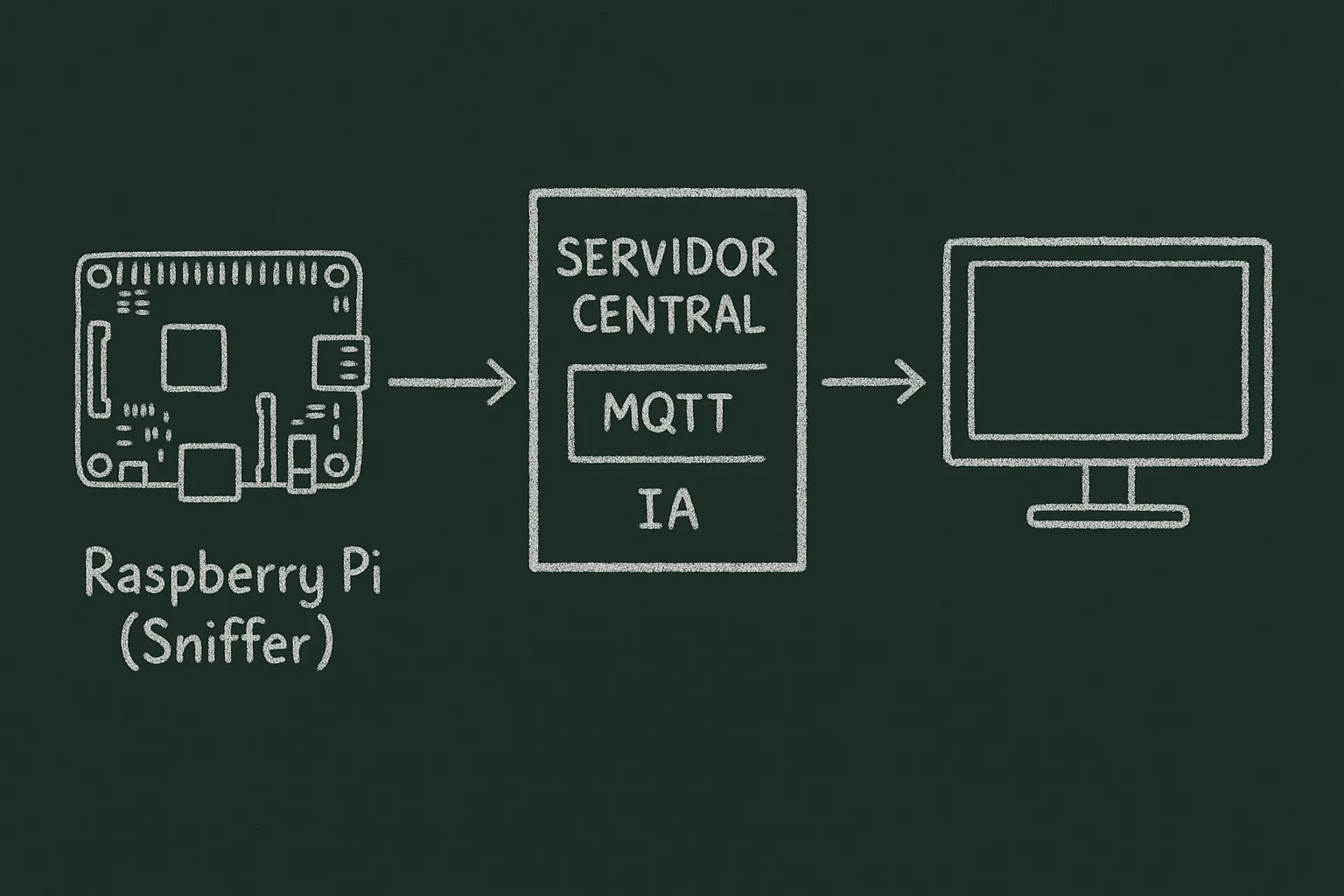
It doesn’t do anything illegal or intrusive. It just listens to what the phone is already saying out loud.
If I walked past you with a Raspberry Pi in my pocket (it costs €40), that little board could perfectly hear your “WiFi shouts”.
Simple example:
- It detects that your phone has asked for wifi_manolo_home.
- It detects that it also asks for wifi_manolo_work.
With those two names, I can search public wardriving databases that contain millions of WiFi points from all over the world.
And if I wanted to, I could find out:
- where your home is
- where your workplace is
- which streets you move through
All without touching your phone or hacking anything.
Just by listening to what it already broadcasts by default.
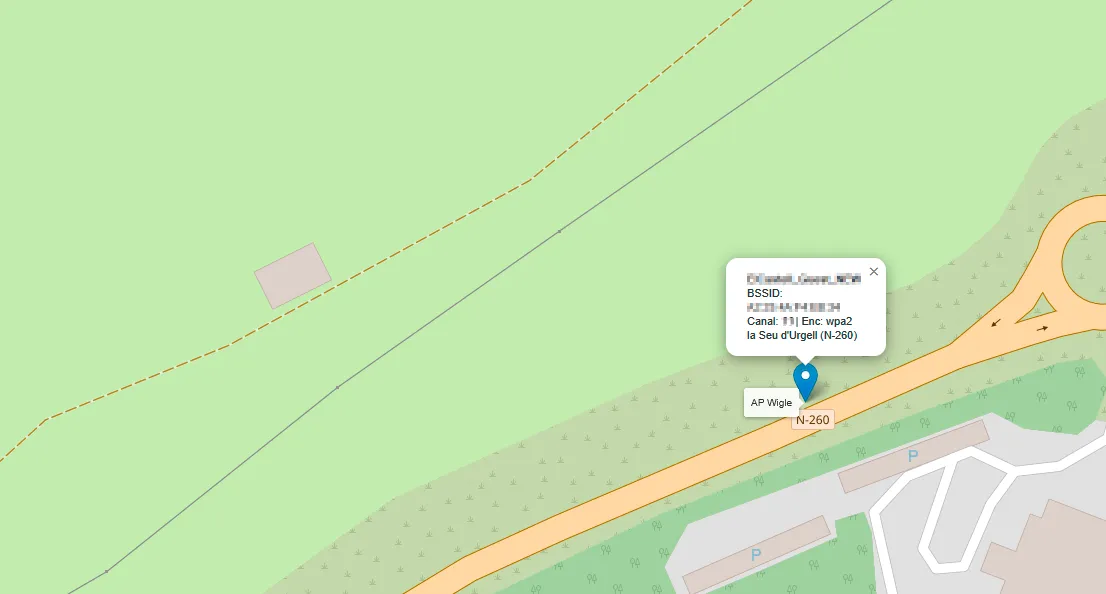
That would already be ugly… but it can go further
If you show up at the same time in the same area every day, the program sees it.
If the same devices always connect at your home every night, it detects it.
If one day a new phone shows up that isn’t usually there… it sees that too.
Everyday (and real) examples:
- “This device enters the neighborhood every day around 6:10 pm.”
- “There are always two devices together: they seem to be traveling as a pair.”
- “Today there’s a new phone at this house that has never shown up before.”
- “This phone changes its MAC address often, but its WiFi search pattern gives it away.”
All of this is just correlations, not black magic.
It’s the same thing a building doorman would do watching who comes in, who goes out and who’s with whom…
But automated, constant and very precise.
And the artificial intelligence part?
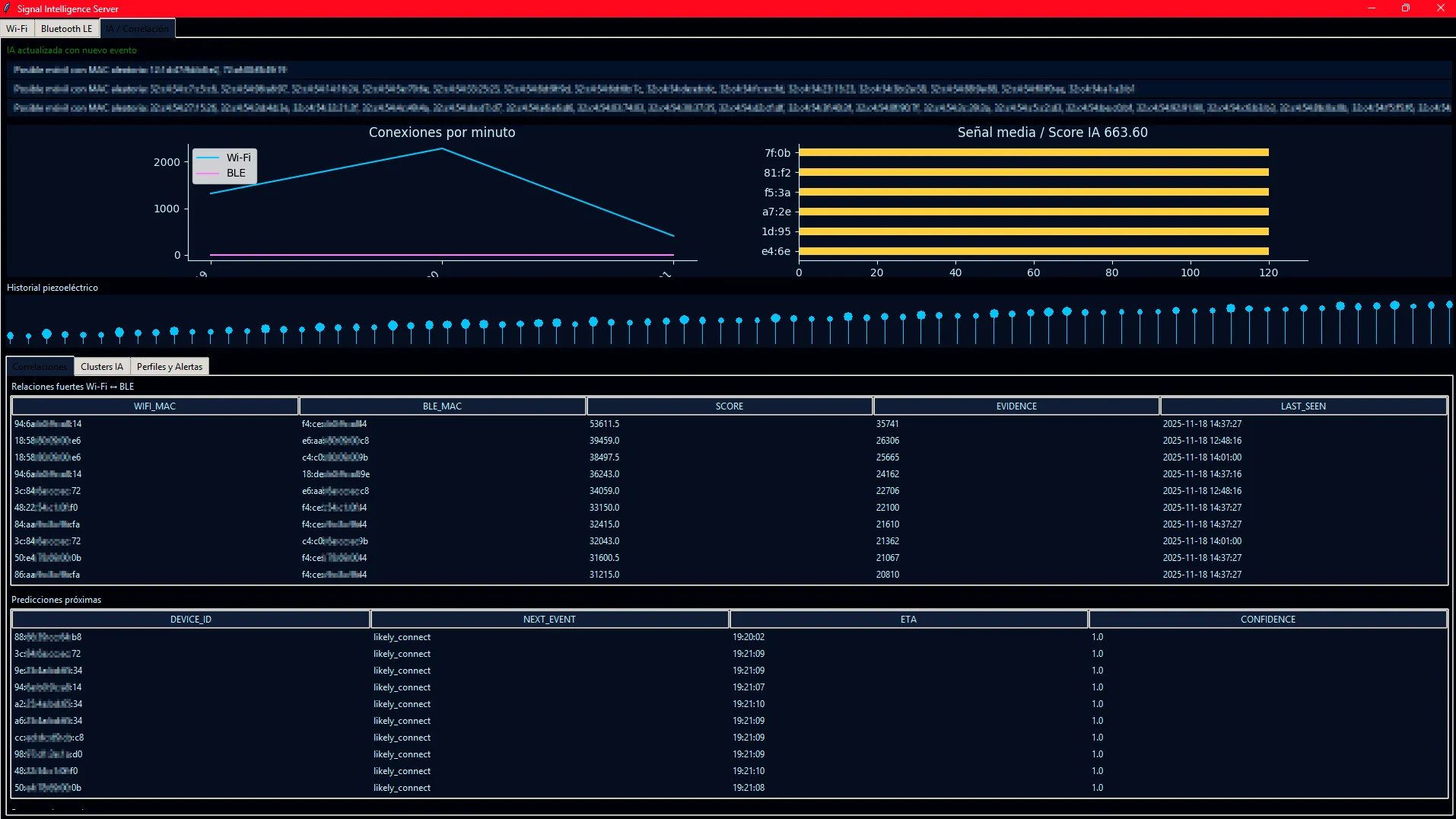
The program doesn’t just listen: it learns.
The more you use it, the better it gets at:
- identifying behavior patterns
- detecting phones even when they try to hide with a randomized MAC address
- telling household devices apart
- knowing which devices are yours and which aren’t
- predicting what time you usually pass by a place
It doesn’t know your name, your messages or your photos.
But it knows how you move, with whom and when.
It’s exactly the kind of analysis used in:
- large shopping malls
- train stations
- airports
- election campaigns
- organized cybercrime
- and, yes: intelligence agencies
And that’s why this idea is based on Chasing-Your-Tail by Matt Edmondson, an open source piece of software created by a former FBI agent to teach these risks.
My version, on the other hand, was also programmed by an agent — just not one from the FBI.
And it did it in the space of one afternoon.
The message behind the spy
With this article and the example I’ve shared with you, I wanted to use the morbid appeal of that romantic image of the hacker mixed with HAL 9000 working for the CIA on a mission to save the world… to get across a clear message:
AI is here, improving every day. And it can be used to improve lives or to control them.
The difference lies in who’s in control.
Choose your role in this revolution
We’re facing the biggest technological transformation since the arrival of the Internet. And this time, you don’t need an engineering master’s degree or a company backing you. Just curiosity, a desire to learn and the tools that are — finally — within everyone’s reach.
It doesn’t matter if you come from the world of art, mechanics, law, or if you’ve never touched a computer beyond WhatsApp Web. Artificial intelligence isn’t just for programmers: it’s for creators, the restless, the nonconformists, for those who aren’t satisfied with just being passive users of the system.
Ask yourself questions. Build your own tools. And above all, don’t hand your power over to a handful of tycoons with servers. This technology can be as free as you want it to be.
So now you know: choose your role.
Are you going to be a spectator or the protagonist?
If you liked this article, you have other related ones in TechLab and Tutorials:
Tutorial Guide for Installing and Using LM Studio for Local Language Models