Card Video Game Made with Local AI: How I Built It on Two Modest Graphics Cards
Dear friends,
I have a lot of things pending to show you about local AI workflows for humble hardware, but I felt like taking a break and using what we have been developing in the previous articles just to have fun playing.
And by playing I don’t only mean playing with my local AI workflows, but literally playing.
So I ventured into creating a video game.
Because showing you the tools, putting them to the test and showing you what can be achieved with old hardware and without paying for a single token, so that you can see how far it is possible to go, is my mission.
And this is just another example. But besides entertaining you by reading about or reproducing the laboratory experiments, this time you will be able to enjoy trying out a fun card game.
A complete card video game made with local AI: what came out of it
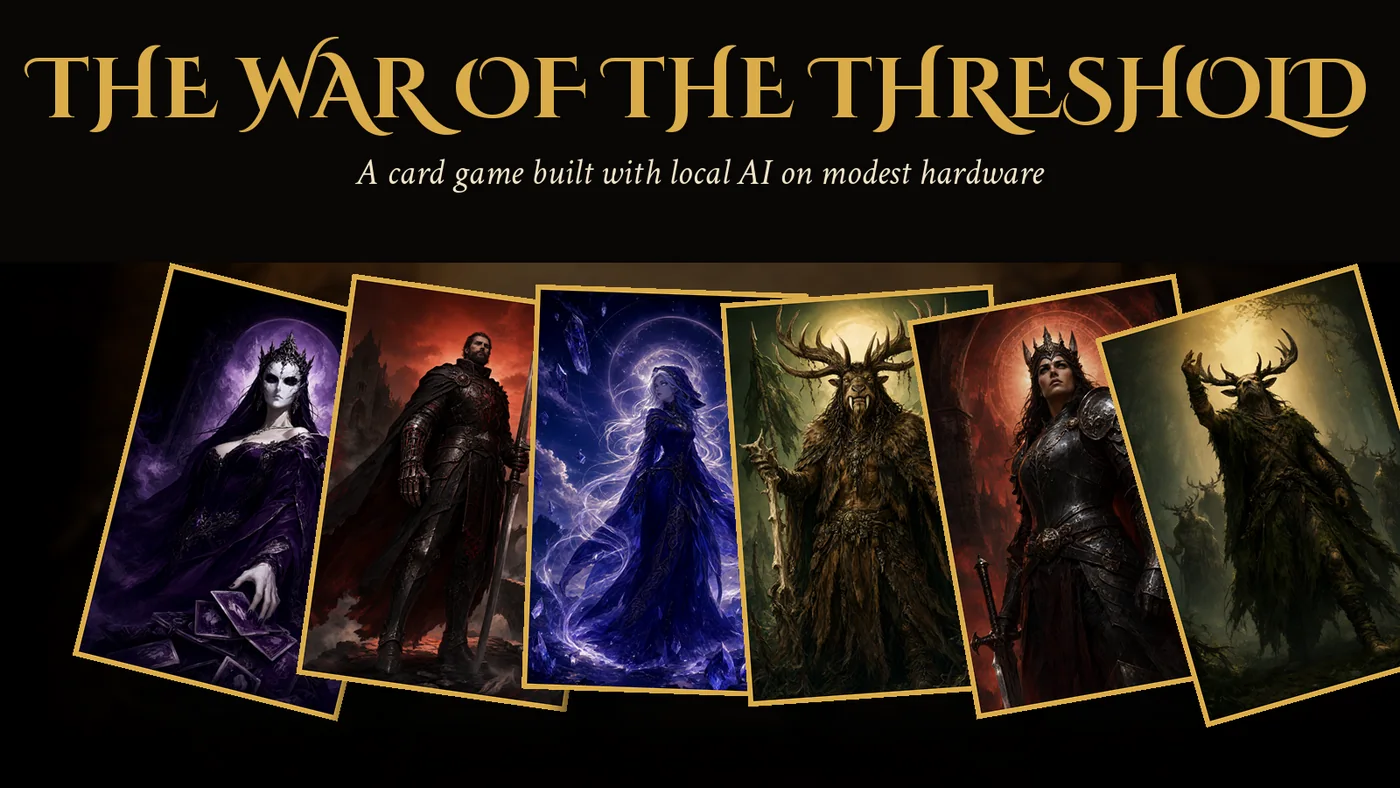
It is called The War of the Threshold and it is a two-player card game with a campaign, online matches and a free mode. It is not a mock-up or a technical demo: you can play it from start to finish.
- 212 cards split across four factions, each with its own illustration, flavor text and effect.
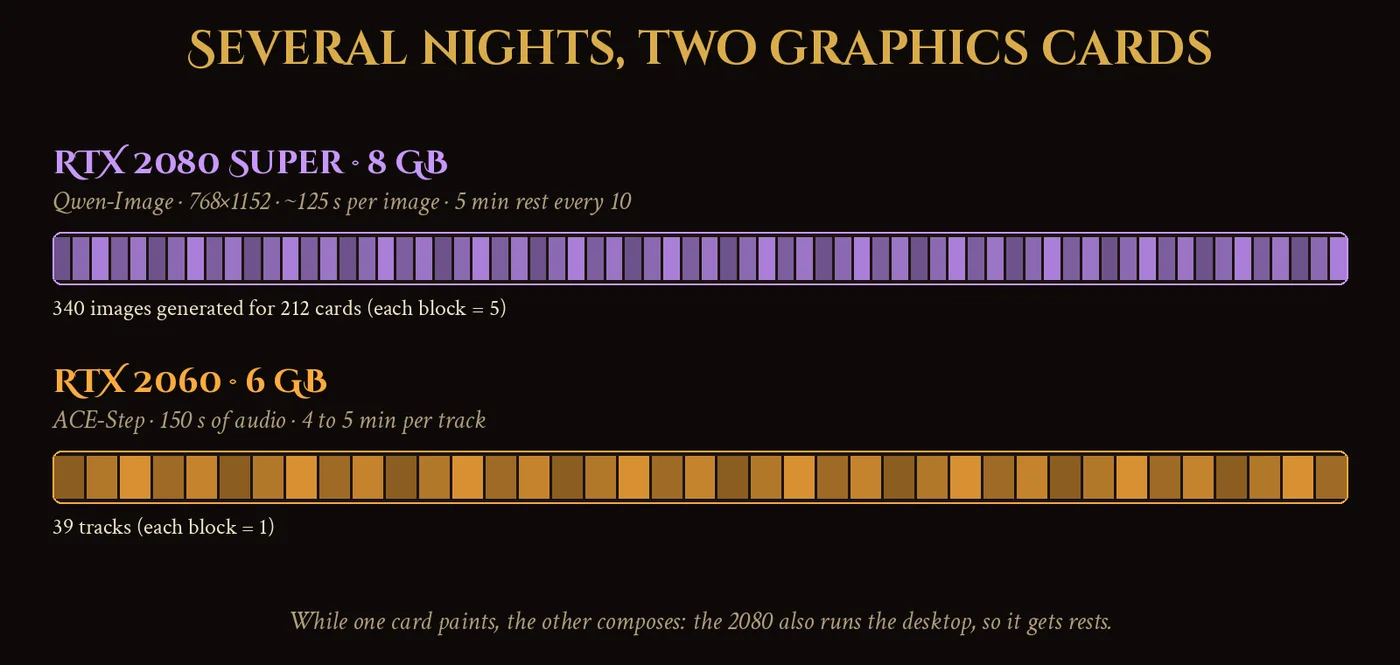
- 340 generated images with Qwen-Image on an RTX 2080 Super to end up with those 212 final illustrations, because many had to be redone several times.
- 39 music tracks composed with ACE-Step on an RTX 2060 and 32 sound effects generated by code.
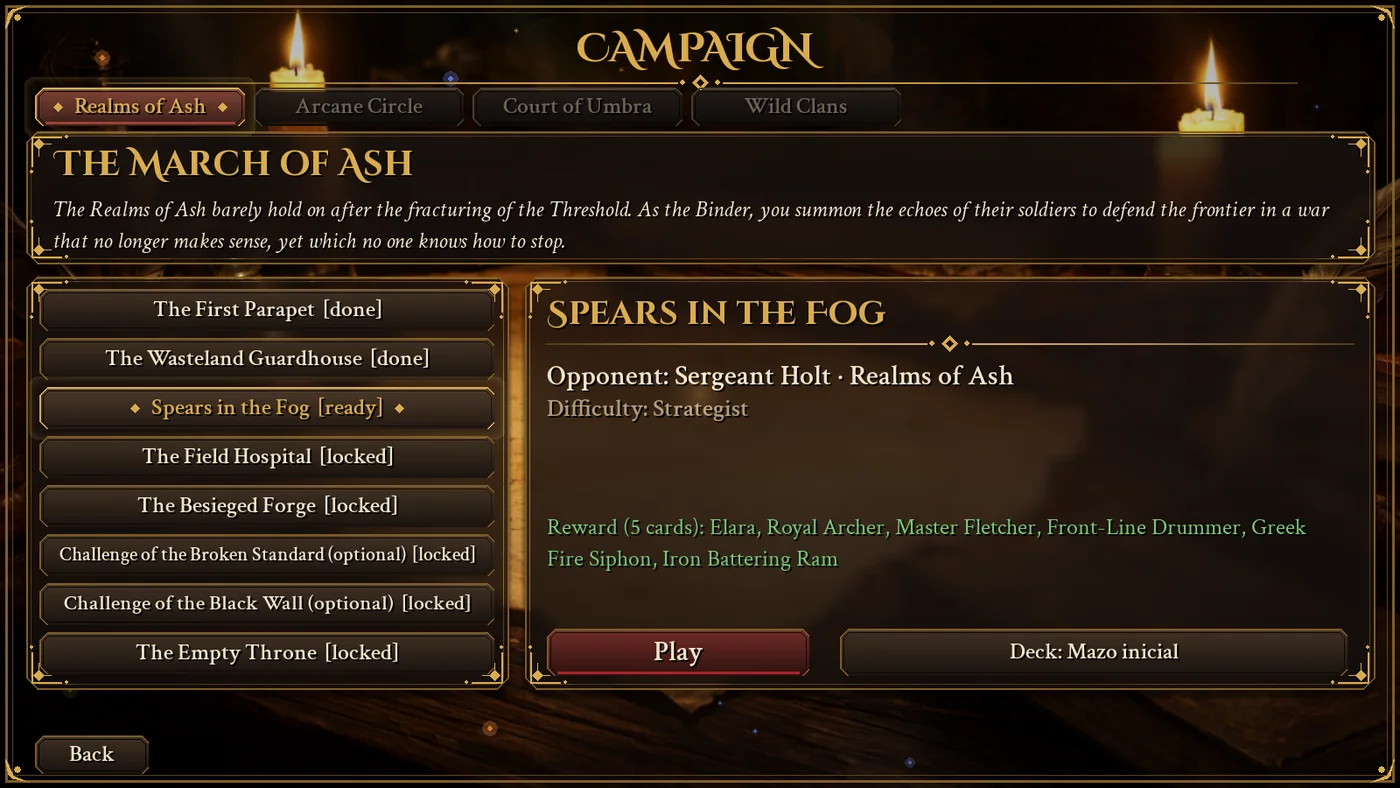
- Four campaigns of eight encounters each, online matches with level-based matchmaking, friends, private rooms and a free mode.
- About 10,000 lines of Python for the game, another 3,500 for tests and 260 automated tests.
- Interface, cards, campaign and guide fully in Spanish and English.
All on one PC with an 8 GB RTX 2080 Super, a 6 GB RTX 2060 and 32 GB of RAM.
In this article I explain how I built it, step by step: the team of agents that did it, how they were organized so they would not leave the plan, how the illustrations were painted, how the music was composed, what went wrong and how it was fixed. If you are interested in local AI workflows on modest hardware, this is the most useful part.
How to play The War of the Threshold
If you have played round-based card games, the system will sound familiar. If not, it is simpler than it looks.
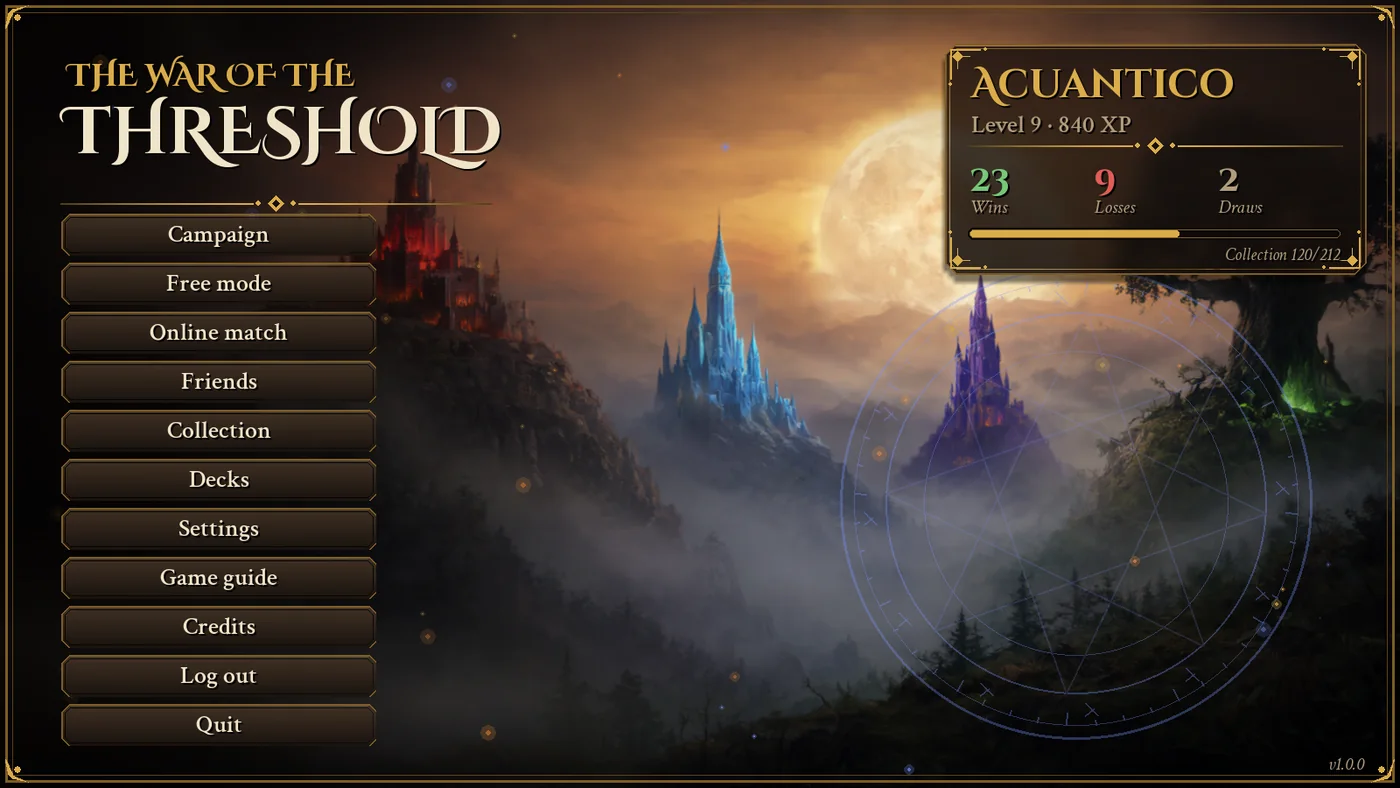
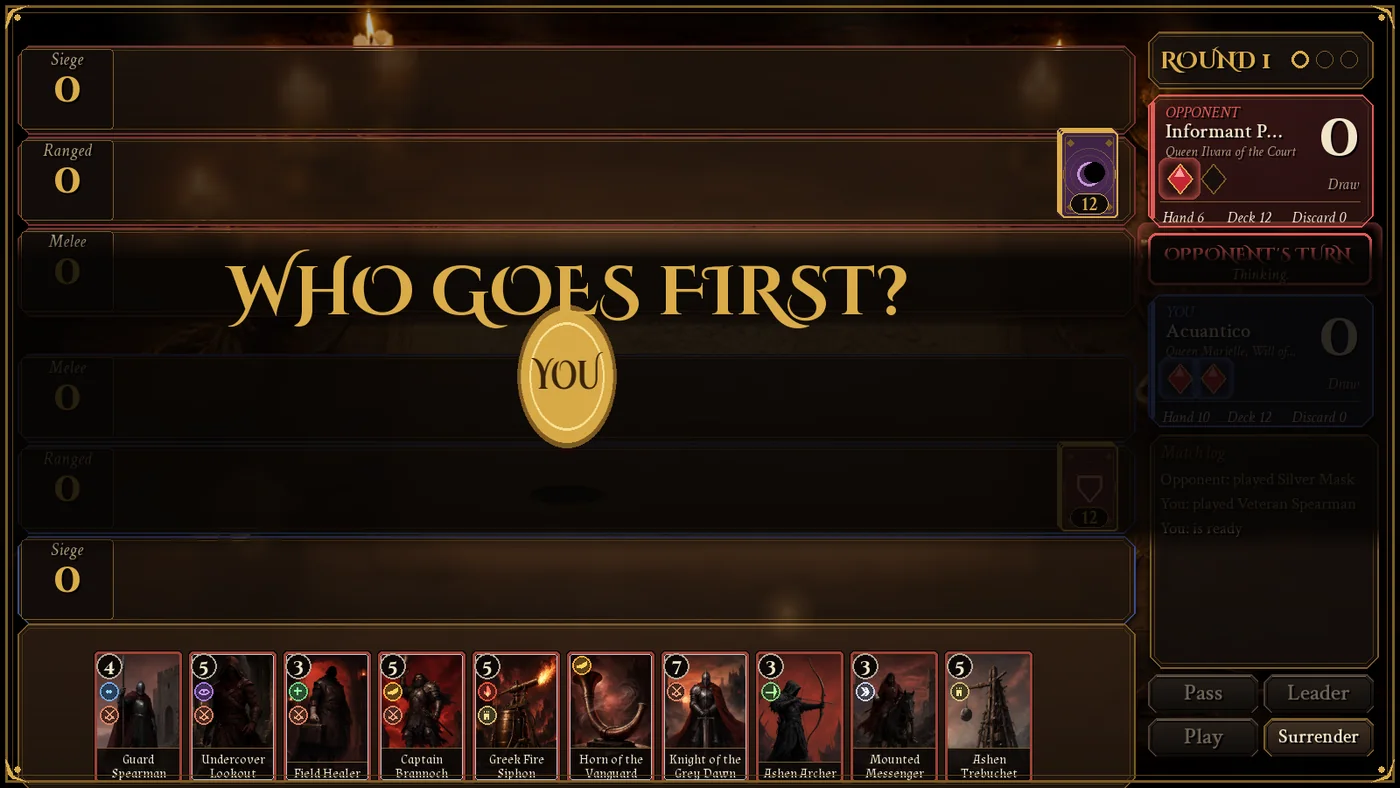
There is no health or mana. Each card adds power points to one of three rows (melee, ranged or siege) and whoever scores more wins the round. You win the match by taking two out of three rounds. Each player starts with two rubies and loses one every time they lose a round.
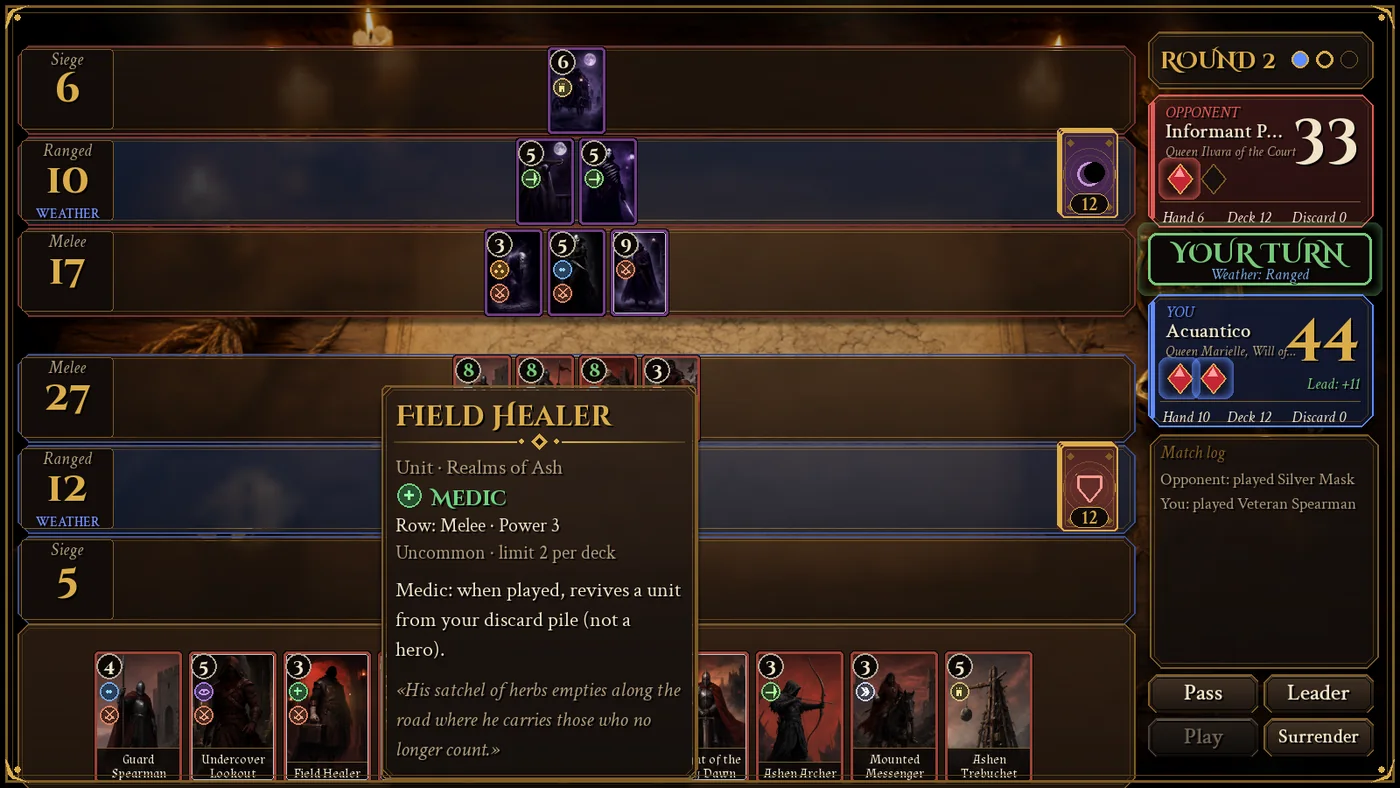
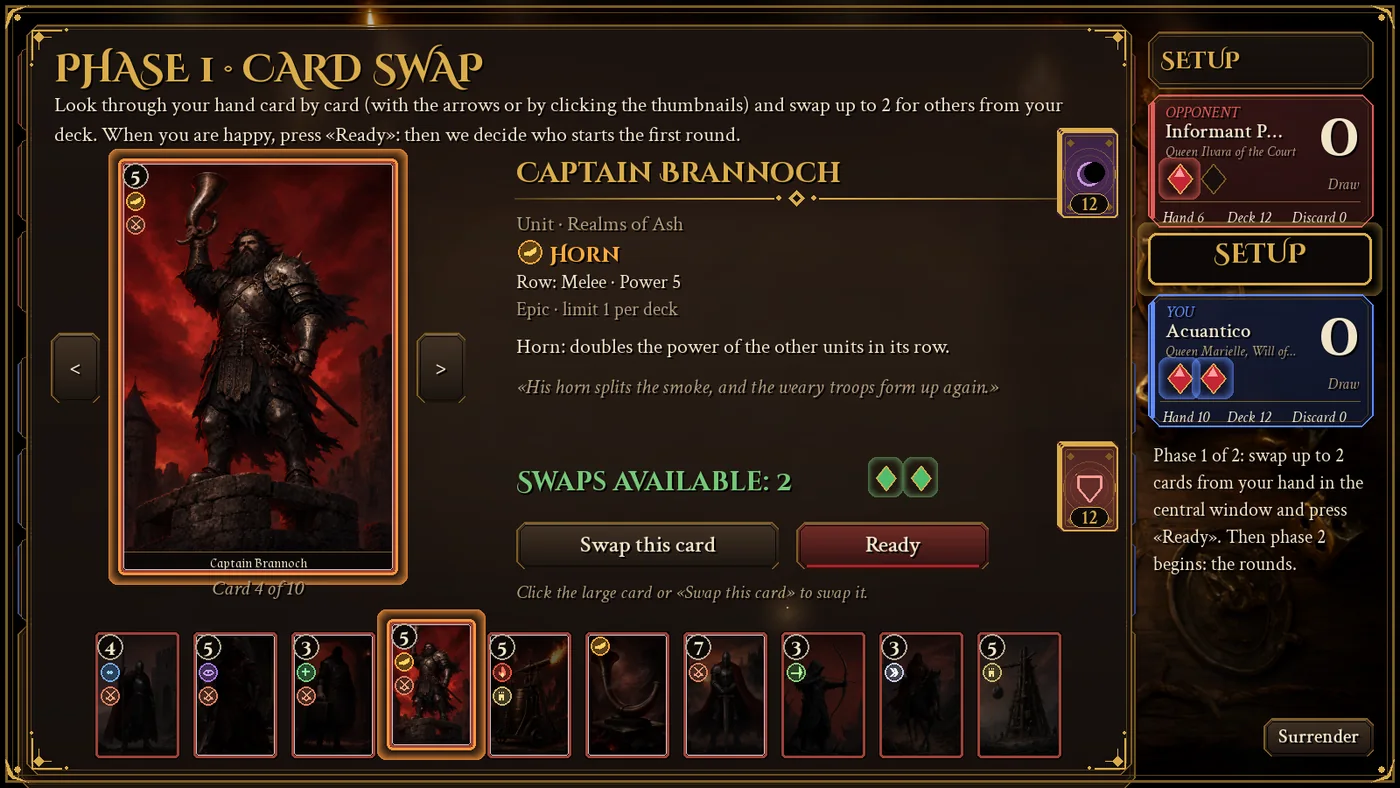
The fun is in the effects. Some cards get stronger when they are together, others double a row, others destroy the strongest cards on the field, weather reduces everything to one point, and spies are played on the opponent’s field in exchange for drawing cards. Each effect has its own round badge, so you recognize it at a glance.
There are four factions, each with its own style and passive: the Realms of Ash draw a card when they win a round, the Arcane Circle keeps a unit on the field, the Court of Umbra wins ties and the Wild Clans always start the match (unless the opponent is also Wild).
The team of local AI agents: who did what
What I really wanted to test was not just the game. It was whether a small studio of local AI agents can be coordinated to build it, each with its own specialty, without any of them stepping on the others.
The design is mine. All the development work was done by the agents of Agente Jiménez, my panel of local agents. If you don’t know what an AI agent is exactly or what is behind it, I explained it in detail in that same article.
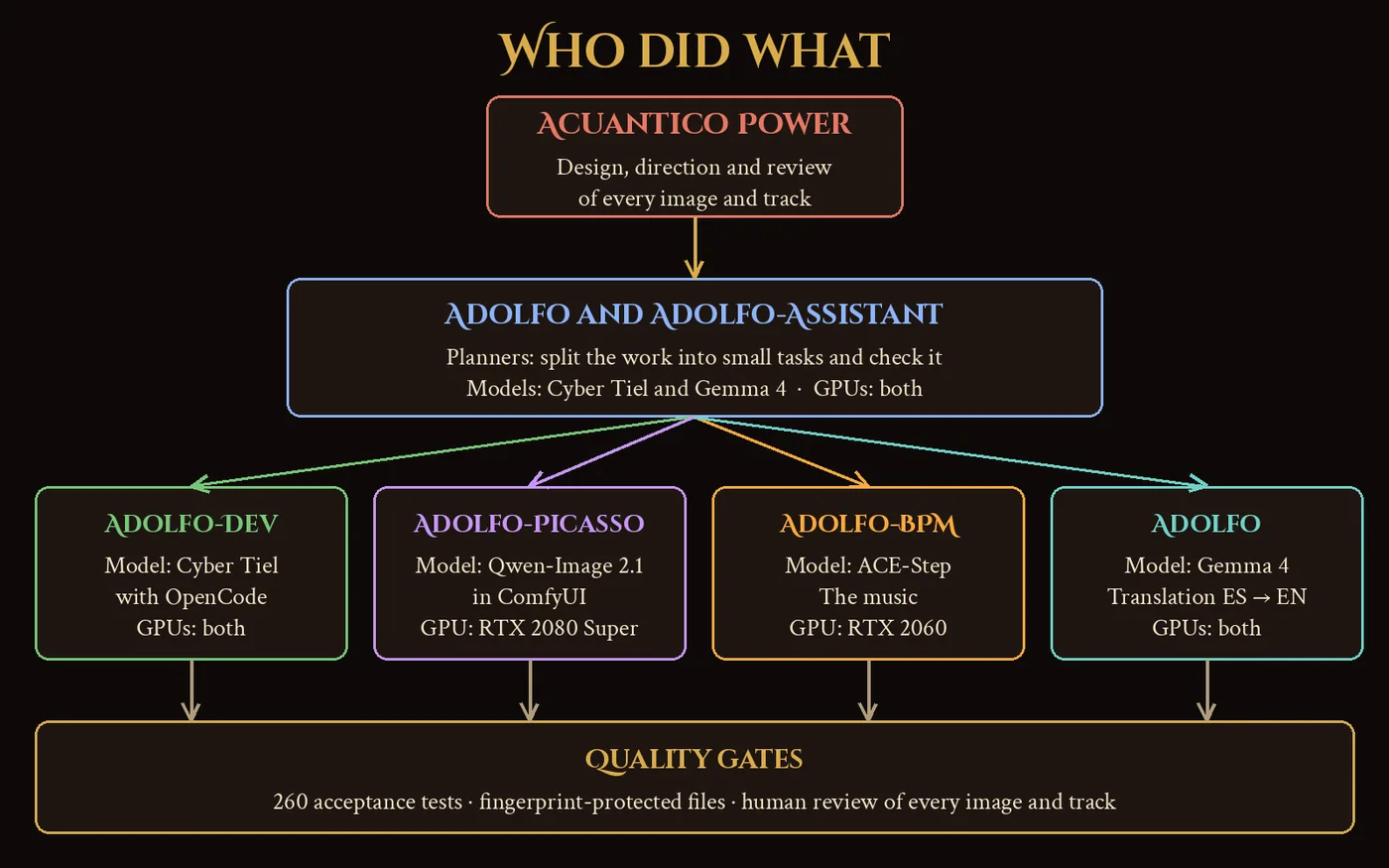
| Agent | Local model | What it did | GPU |
|---|---|---|---|
| Adolfo and Adolfo-Assistant | Cyber Tiel and Gemma 4 | Planners: split the game into small tasks and check every result | Both (the model is split across them) |
| Adolfo-Dev | Cyber Tiel, with OpenCode | Programming the game and its tests | Both |
| Adolfo-Picasso | Qwen-Image 2.1 in ComfyUI | The card illustrations and the backgrounds | RTX 2080 Super |
| Adolfo-BPM | ACE-Step | The music | RTX 2060 |
| Adolfo | Gemma 4 | The full translation into English | Both |
Cyber Tiel is a 35-billion-parameter programming model of the “mixture of experts” type, with only 3 billion active per token. I use the Cyber-Tiel-Coder-35B-A3B APEX-I NanoPlus version, which takes about 13 GB. Gemma 4 is actually the gemma-4-26b-a4b QAT version, another mixture of experts (26 billion parameters, 4 billion active) of about 15.6 GB. Neither fits entirely in an 8 GB card, but with both GPUs sharing the model, and the spare experts in system memory, they perform well. Adolfo-Dev programs with OpenCode, a terminal programming agent, backed by Cyber Tiel. I serve the models with LM Studio; if you want to set it up yourself, there is the LM Studio installation guide and how to use it as a server from Python.
| Model | RTX 2080 Super alone | With both cards |
|---|---|---|
| Cyber Tiel (35B, 3B active), measured with the Q4_K_S version | 13 to 14 tokens per second | 19.7 |
| Gemma 4 26B (4B active) | 16.6 | 26.9 to 30 |
I measured the Cyber Tiel figures with its Q4_K_S quantization, about 22 GB; the smaller version I use now has not been measured separately. These are not cloud speeds. But for an agent working at night while you sleep, they are plenty. And if you wonder how far these models can go programming on their own on a machine like this, I measured it in Autonomous coding with local AI: is 8 GB of VRAM enough to run 30B models? and I compared thirteen models in What Is the Best Local AI Model?.
How the local agents work: small tasks, tests first and protected files
This is what I learned the most. A local model with a context of 20,000 or 30,000 words cannot “understand” a whole project and, if you ask it to, it leaves the plan.
It happened to me. My first attempt ended up discarded because the agent did not respect the design document: it made up generic data, repeated sentences and skipped rules that were written down. It was not a lack of ability. It was a lack of framework.
The second time I turned the problem around. Instead of asking it for a game, I gave it very strict rules and very small tasks.
The design document and the tasks
The first thing was to write the complete design: the game rules, the four factions, the 212 cards with their rarity, power, category and a description of what the image shows. That design lives in text files the agent cannot touch.
With the design closed, the work was split into numbered tasks, each in its own file, with the test it must pass:
- The narrative texts of each faction: the flavor text of its 53 cards.
- The card catalog builder, which joins the design and the texts into a single data file.
- The artificial intelligence of the opponents.
- The player database: accounts, collection, decks and campaign.
- The campaign generator, reproducible: a test regenerates it and checks that the result is identical.
The agent’s rules
Every conversation with the agent starts by reading a very short rules file. The most important ones:
- One task per conversation.
- No files of more than 150 lines per write: if it does not fit, split it into modules.
- If the same error appears three times in a row, stop and report it, do not improvise.
- Forbidden to touch the tests, the design and the check scripts, and forbidden to “lower the bar” of a test to make it pass.
- Forbidden to generate game data with randomness or templates: the texts had to be real, with no repetitions or typos.
Protected by fingerprint
Rules alone are not enough: a local model in a hurry “fixes” the test instead of the code. That is why the acceptance tests, the design and the check scripts are protected by fingerprint. A script stores the hash of each protected file and makes them read-only. If the agent modifies them, the check detects it and the task fails.
After each delivery, another script runs the tests and returns a short, clear result. It matters that it is short: every word it takes up in the agent’s context is a word it can no longer use to think.
The orchestrator and the watchdog
So that it could work without me, I wrote an orchestrator. It launches the tasks one after another, each in a new session, approves reasonable permissions, rejects dangerous commands, retries with the real error if something fails, cancels sessions that have been 30 minutes without activity and stops if the agent touches a protected file. When it finishes it leaves a report.
A second process, the watchdog, checks that everything is still alive and, at the end, runs the full tests and leaves a verdict. The longest tasks, the opponent AI and the database, took between 25 and 30 minutes each. I only read the report when it was done: all correct and 186 tests green.
This method has a lot in common with what I explain about agents in the Agente Jiménez article: a local model does not need more intelligence, it needs an environment that prevents it from making known mistakes.
The illustrations with Qwen-Image and ComfyUI: 340 images for 212 cards
Every card needed its own illustration, and all 212 had to look like they belonged to the same game. It sounds simple until you try it.
The truth is that 340 images were generated to keep 212. One out of every three had to be discarded and redone, some more than once, because the model did not understand what it was asked or because, simply, it came out wrong.
And it was not done in a single night. It took several nights of generation and many spare moments during the day to fix badly planned designs, redo cards and write and adjust all the code.
A recipe by code, not a prompt per card
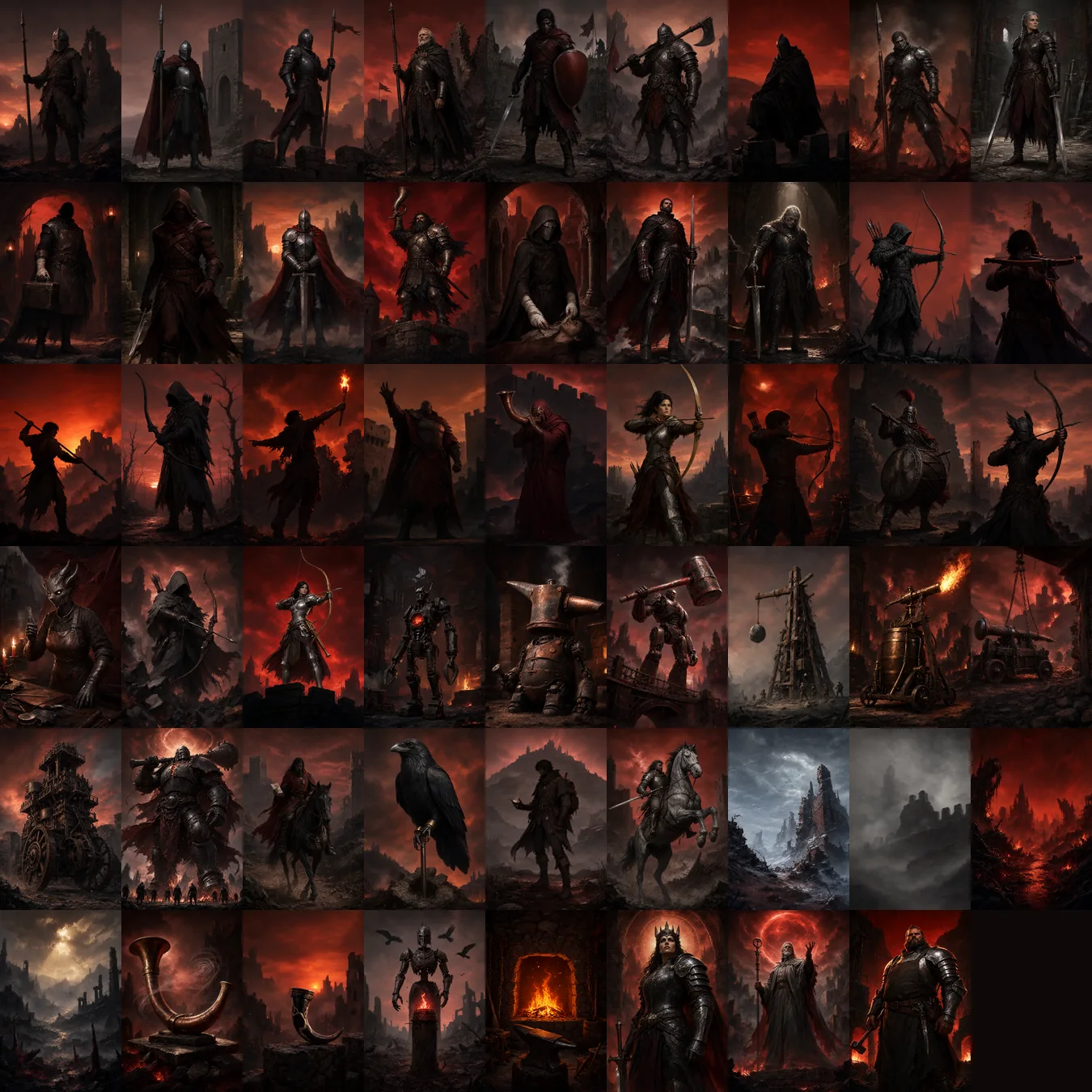
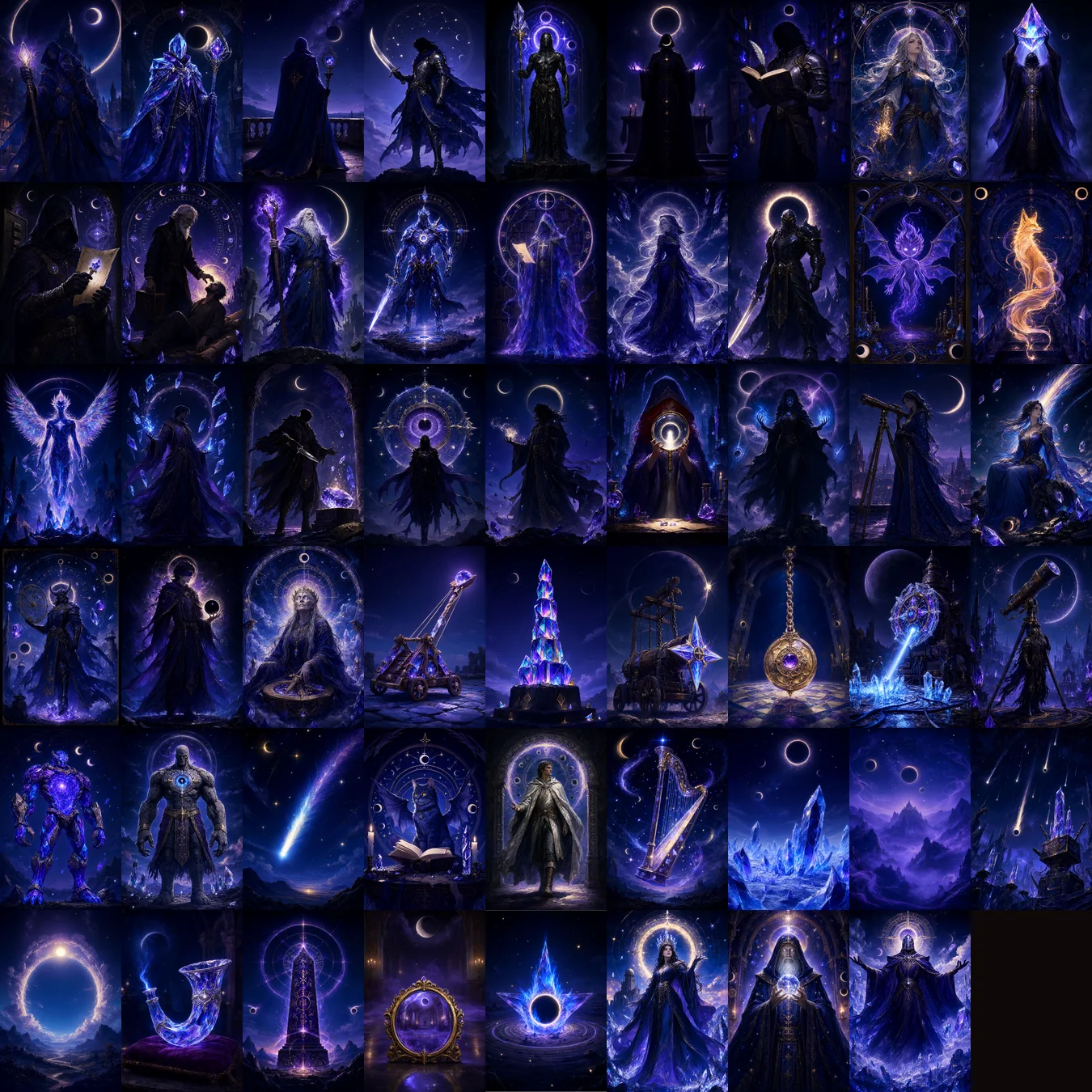
To get consistency I did not write 212 descriptions by hand. Each image is built by code from a recipe with a common style, its faction palette, its category (character, creature, machine, spell, relic) and a short description of the subject. Each faction has its own atmosphere: the Realms of Ash, a red sunset sky among smoke and embers; the Arcane Circle, a night sky; the Court of Umbra, violet fog and moon; the Wild Clans, an old, damp, dark forest.
The model is Qwen-Image 2.1, with 7 billion parameters and int8 quantization, which I run with ComfyUI. I installed it with Pinokio, as I explained in the guide to installing Flux with Pinokio. From Agente Jiménez, the Adolfo-Picasso agent starts and stops ComfyUI, sends it the recipes and stores every result in a gallery.
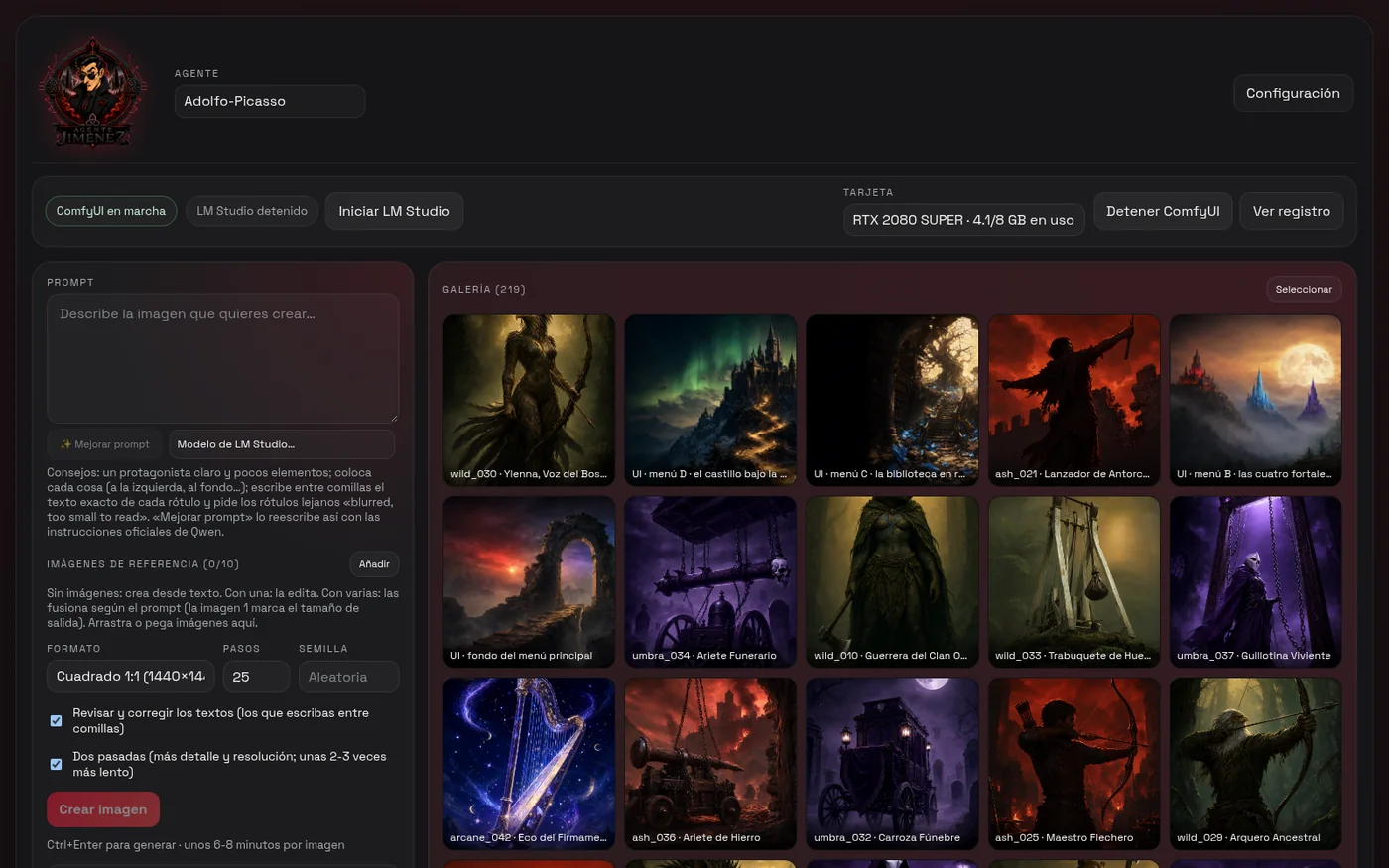
Before launching the 212, I painted only four representative cards to validate the style. For each image I fixed one seed per card, so any illustration can be reproduced exactly.
What it costs to paint on an 8 GB card
On the RTX 2080 Super, each 768×1152 pixel image takes about two minutes. The 340 are almost twelve hours of GPU time. Three things had to be taken care of:
- Before generating, the LM Studio language model is unloaded from memory to leave the graphics card free.
- If less than 8 GB of RAM is free, the agent refuses to start ComfyUI. I learned the hard way that, with tight memory, the whole machine freezes.
- Every ten images, a five-minute rest so the card, which also drives my desktop, can breathe.
What the model cannot draw
What took the most work was not generating. It was finding out what the model can actually draw.
- Crossbows, catapults and racks came out crooked again and again, with two bows or with pieces that did not fit. I replaced those objects with bows, battering rams, trebuchets and guillotines, which it does understand.
- It could not draw the sling in any way. It became a javelin.
- A pot of burning pitch ended up stuck to the soldier’s face; a torch in a raised hand, on the other hand, it draws without any problem.
- My first wolves were normal wolves with odd teeth. I had to redefine the Wild Clans as metahumans with traits of forest animals, and since then an automatic check warns if a description does not comply.
- For one of the Wild heroines, with bird traits, the model gave her the body of a hyena with a human head; I had to describe the beak, the crest and the bird eyes separately.
- The Realms of Ash filled up with banners and gears because of the palette. I banned them in the recipe.
- If the subject carried a second weapon, the model drew it twice. Now the recipe only mentions the weapons the card really carries.
- The Court of Umbra must always wear a mask and no green, because the word “green” crept into the background.
So before generating anything, a script checks each description against its faction’s rules. Generating a bad image costs two minutes of GPU; checking it beforehand costs milliseconds.
Human review, card by card
The images were not approved by the model. I reviewed them myself, one by one, in a web page I built for that, with a “correct” checkbox, a “regenerate” checkbox and a note about what is wrong.
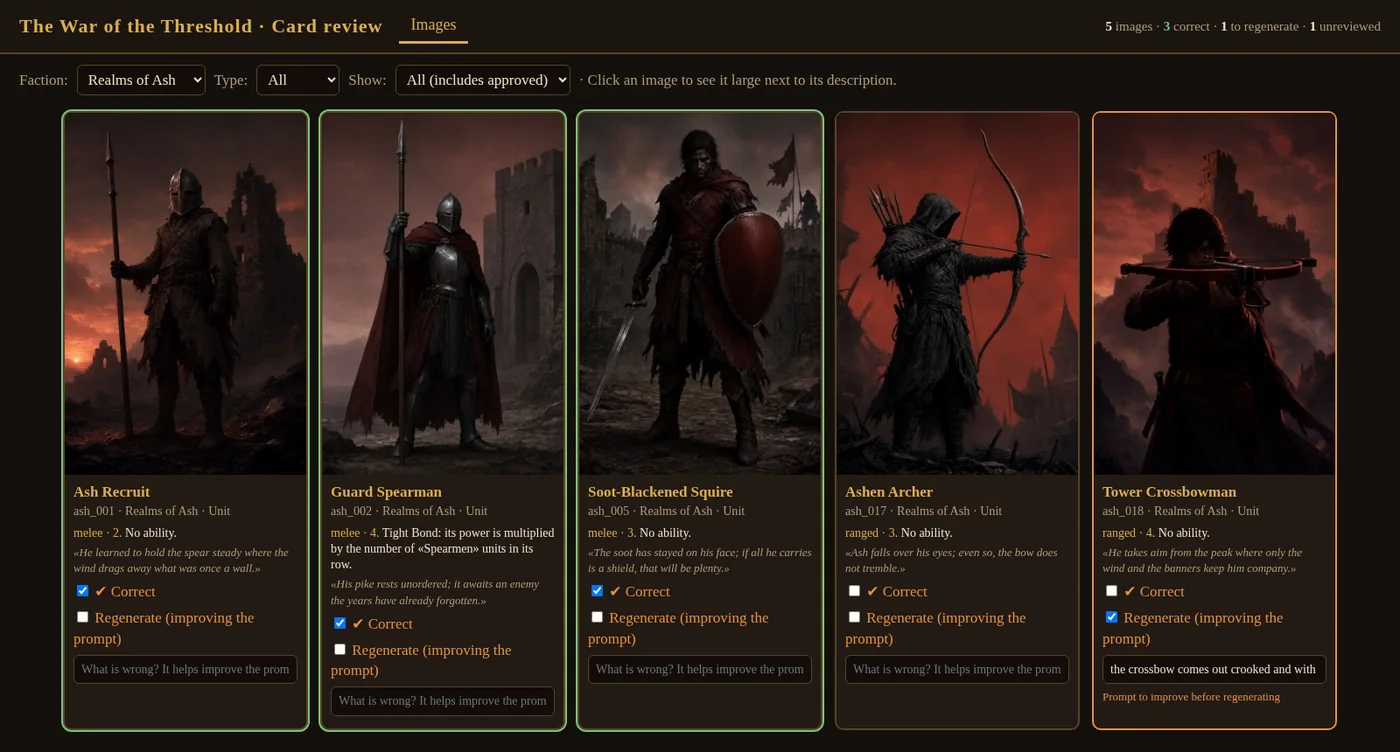
That note becomes an improved description and the card is regenerated. Over time I refined the process: instead of regenerating many at once, a single candidate per card, which I see in a separate tab and approve or reject with a note. And whatever is discarded is also deleted from the gallery, so as not to accumulate images that are no longer needed.
The result, faction by faction:
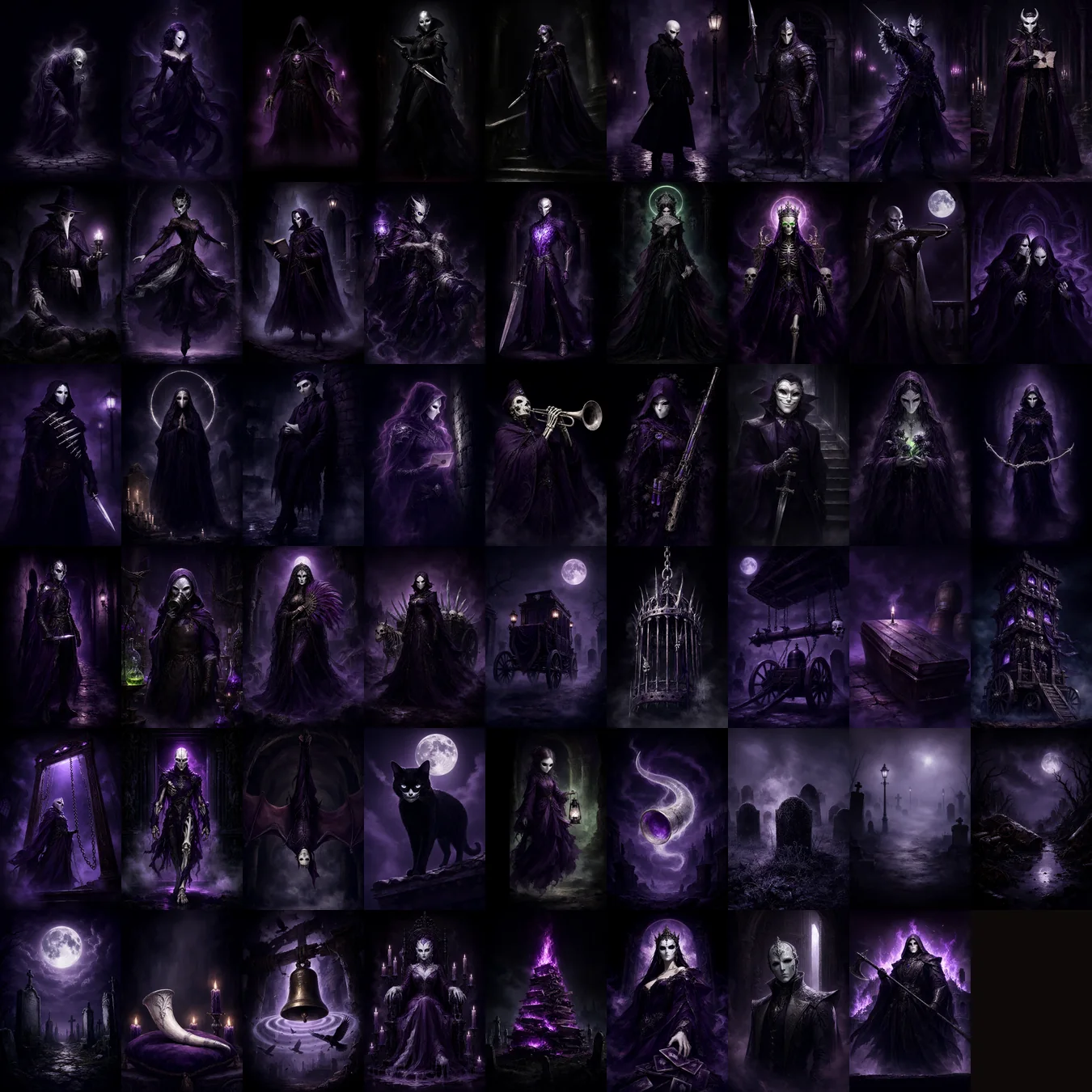
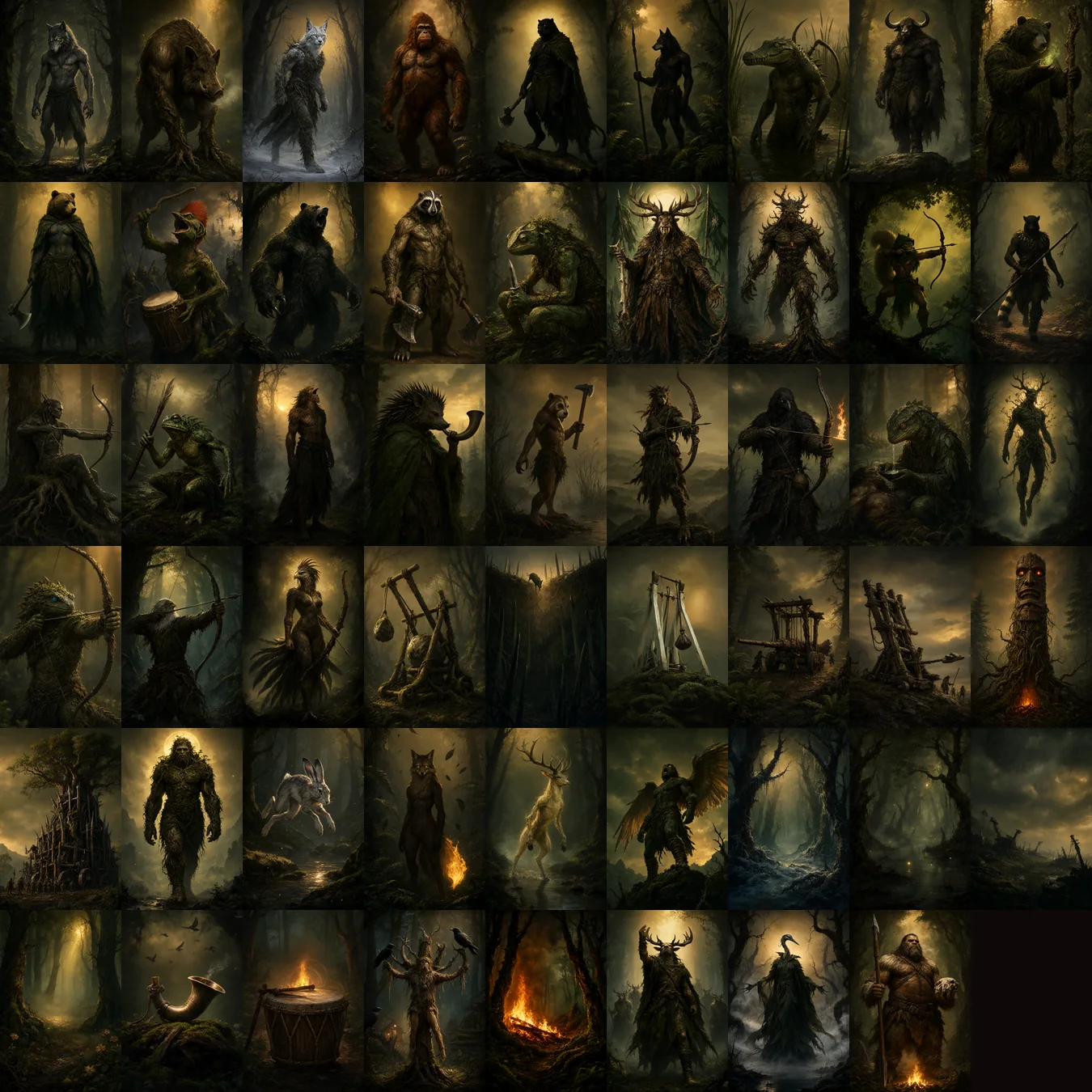
I also painted the screen backgrounds with the same workflow: the menu hall, the collection study table, the board’s war table and, last, the main menu background, for which I generated four different scenes and chose the four fortresses one.
The music with ACE-Step on the RTX 2060 and the sound effects by code
The 6 GB RTX 2060 has no room for Qwen-Image, but it is plenty for ACE-Step, a model that composes music from a description.
So while the 2080 painted cards, Adolfo-BPM composed on the 2060: 39 tracks of 150 seconds each, at about four or five minutes per track. Each one comes from a different description, such as “lively tavern jig” or “cheerful courtly minuet”, and they are recorded in a manifest so that any of them can be regenerated without losing the style.
Every context of the game has its own music: the menu, the library, the campaign, each faction’s map, the duels, the bosses, and the victory, defeat and draw endings. The audio manager shuffles each list and does not repeat a track until all have been played, and it picks the music according to the chapter you are in.
The tracks were not approved by the model either: I built a tool to listen to them one by one, keep the ones that work and discard the ones that don’t.
The sound effects, 32 in total, are not generated by any AI: a code script synthesizes them. A click, a horn or a sword hit does not need a model of billions of parameters, and the result is identical every time. By default, the music and effects volumes are set low on purpose, because in the first match a game that shouts scares more than it hooks.
The game engine, the server and the client
Under all of this there is a real game, with an architecture designed so it can be tested and so that nobody cheats.
- Engine: deterministic, with a seed. The same match with the same seed always gives the same result, which lets you replay and check any match.
- Server: FastAPI with WebSocket. The server is in charge: the client only says “I want to play this card” and the engine decides whether it is legal. The client never declares a winner.
- Database: SQLite, with accounts (passwords with scrypt), collection, decks, campaign and friends.
- Client: Pygame, with a medieval and magical style, animations and music.
- Online matches: level-based matchmaking with a margin that widens as you wait, friends list, invitations, private rooms and 120 seconds to come back if your connection drops (if you do not, you lose the match and your opponent wins).
I tested it with 260 automated tests. The server ones I also validated with “mutations”: the code is deliberately broken in 17 ways and the tests are checked to detect it. They caught 16, and the one that slipped through turned out to be equivalent.
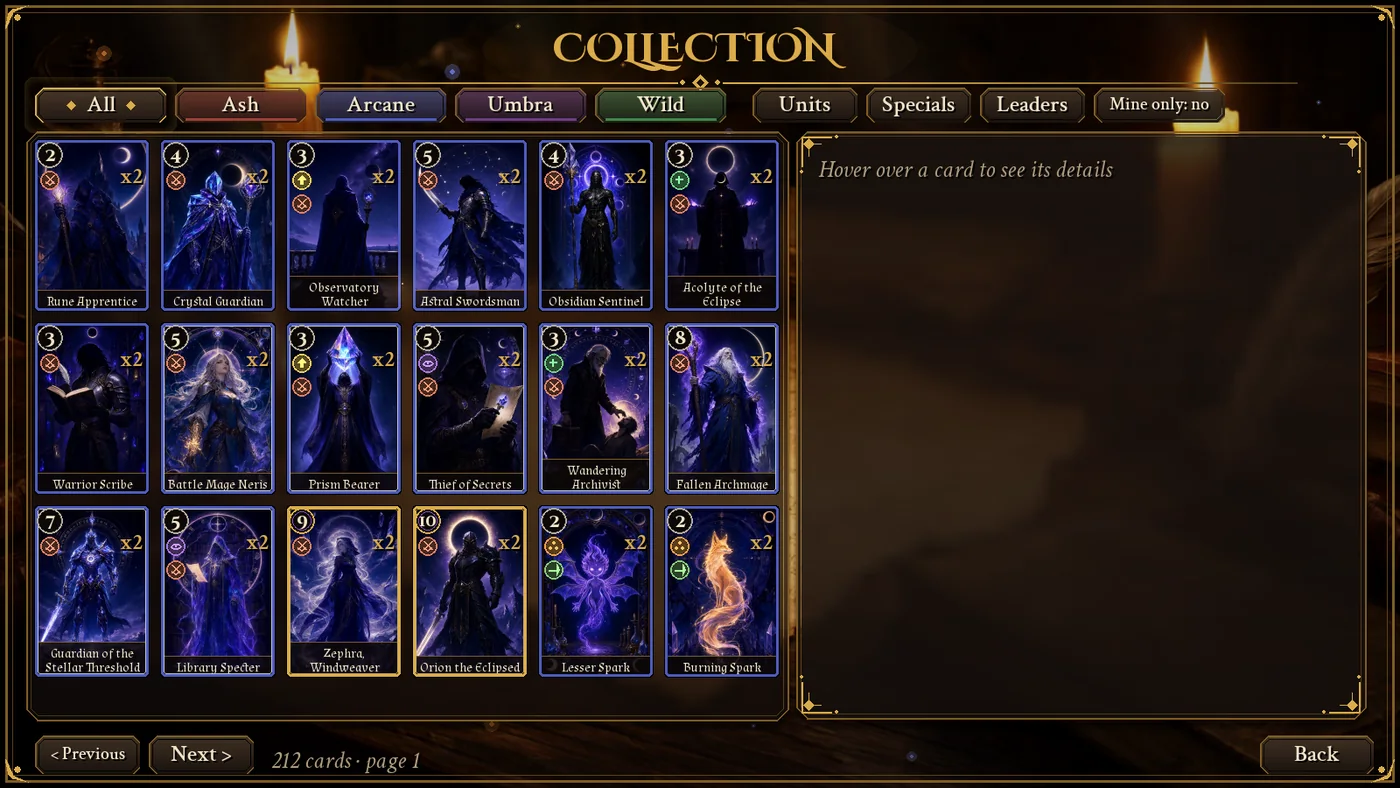
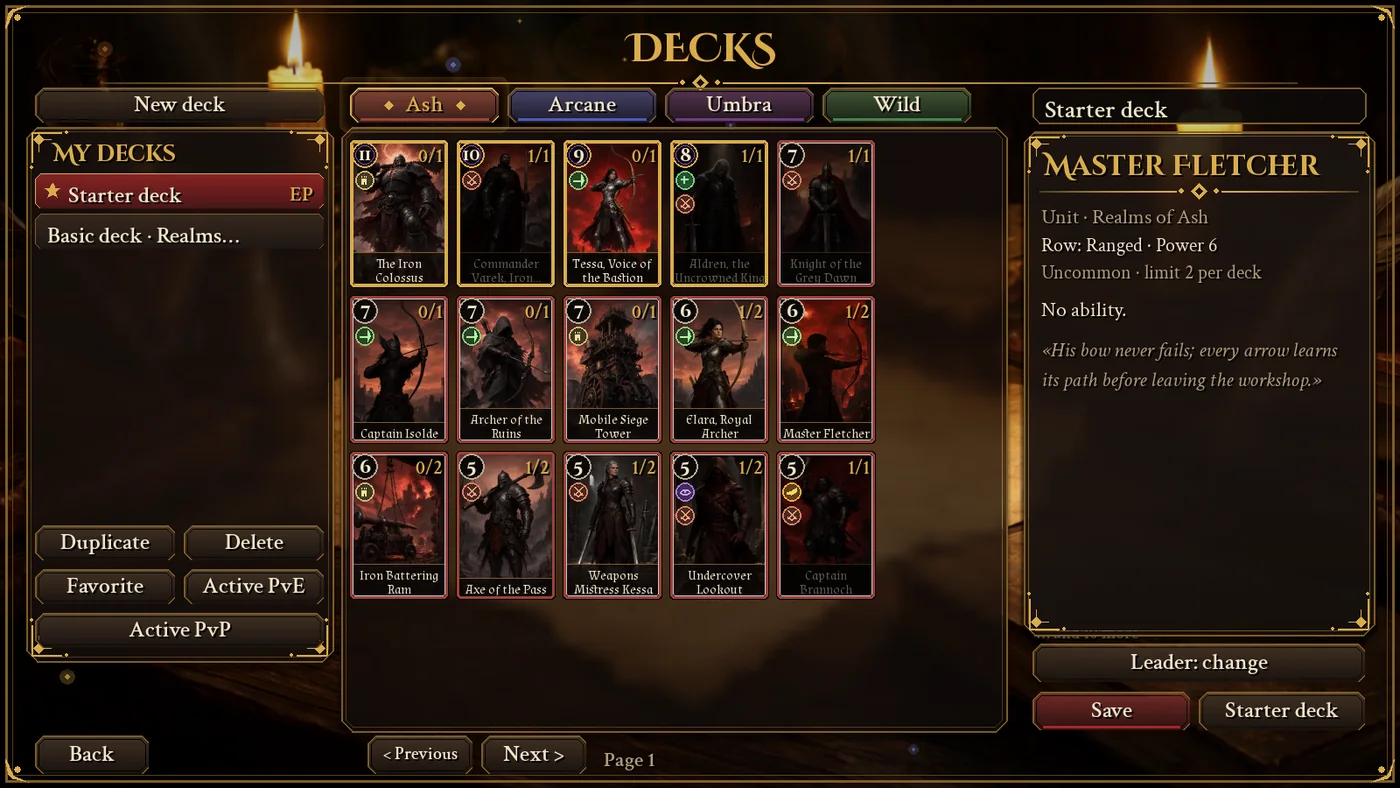
The opponent AI: too good, and how I leveled it by measuring matches
The AI that plays against you decides by simulating every possible play on a copy of the match and keeping the one that gives the most points. There are three difficulty levels: apprentice, strategist and master.
It works. Too well.
When I tested it, the opponent in the first encounter of the campaign almost always won and scored nearly double my points. For a tutorial, a disaster.
So I stopped giving opinions and measured. I had an intermediate-level automatic player with the basic deck play dozens of matches against each opponent, and I tried two remedies:
- That the opponent’s deck uses only cards the player could already have at that point of the campaign, and that it adds up to at most a fraction of the player’s strength.
- That the AI fails on purpose, choosing a random play with a probability that decreases as the campaign advances.
| First encounter of the campaign | Player wins before leveling | Player wins after |
|---|---|---|
| Realms of Ash | 27 % | 85 % |
| Arcane Circle | 43 % | 65 % |
| Court of Umbra | 40 % | 70 % |
| Wild Clans | 47 % | 82 % |
Difficulty rises throughout the campaign until the bosses are a challenge again. And when you beat the four campaigns, a free mode opens, with random-faction opponents and an Elo-type rating that goes up and down with your results.
Icons, animations and guide: details that make the game understandable
A card game with effects is hard to read if all cards look alike. Almost half of the final polish was making it understandable at a glance.
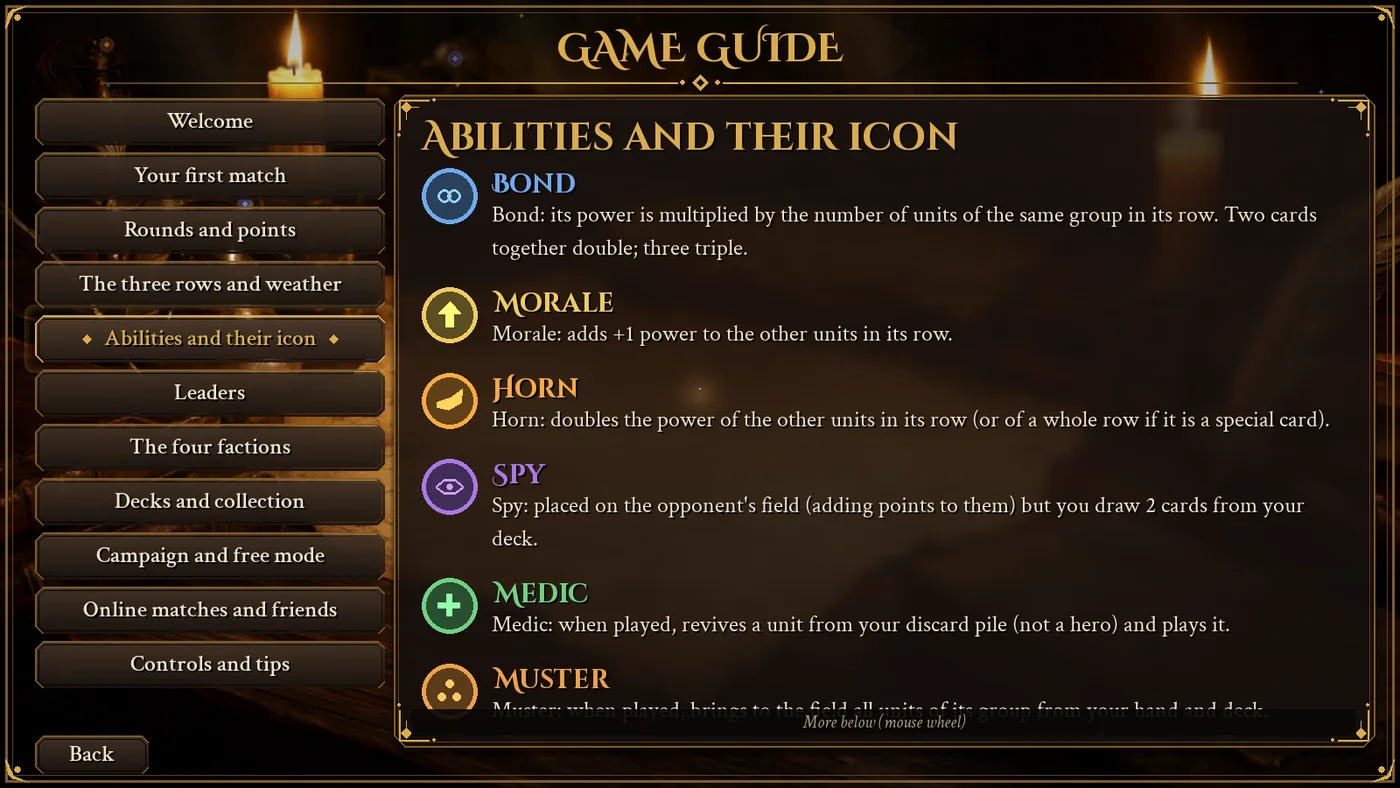
- Round badges for every effect (bond, morale, horn, spy, medic, muster, scorch, decoy and the three weather types) and another one for the row where each unit plays.
- A floating sheet with the full description when you hover over any card.
- A clear scoreboard, with the opponent in red and you in blue, big points, rubies and a box that says whose turn it is.
- Animations for everything that happens: cards fly to their row, the opponent “thinks” for a moment before playing, a coin decides who starts and every round ends with a notice.
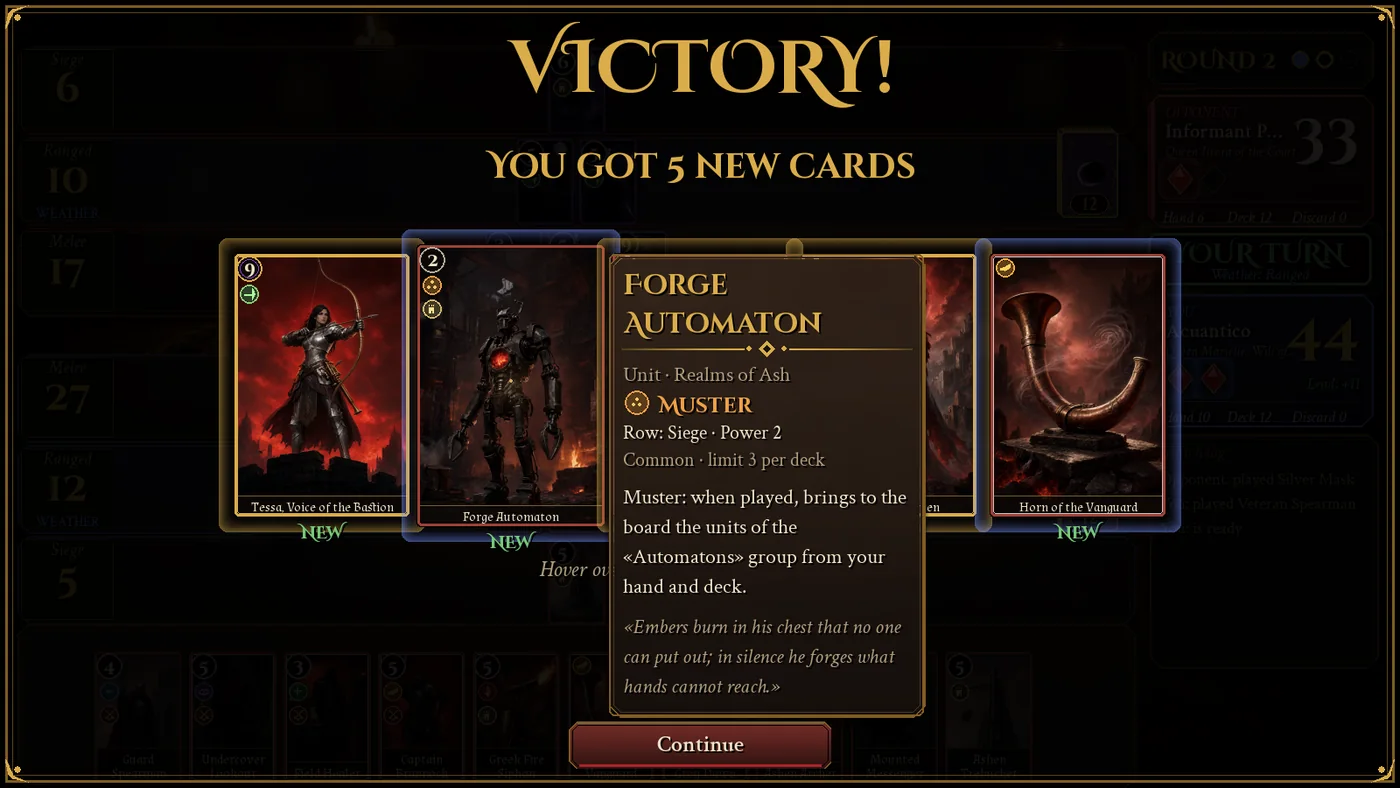
- A reward envelope that flies in when you win an encounter, and opens to show you the new cards.
- An integrated guide with a first-match tutorial, the rules and every badge explained.
The translation into English with Gemma 4
This is an ideal task for a local model, and I gave it to Gemma 4: the names and flavor texts of the 212 cards, 280 interface phrases plus 80 patterns with numbers and names, the campaign texts and the game guide.
So as not to leave anything in Spanish by mistake I built a tool that goes through every screen of the game in English and lists any phrase that is still untranslated. Until it returns zero, it is not finished. You can switch language instantly from Settings.
Deployment, online server and version control
The online server runs on a VPS with a system service and a reverse proxy with encryption, with database backups. I deployed it with an end-to-end test from the outside: register two players, pair them and play a match.
The game also checks its version. Every time it starts, and while the server is active, it asks which is the latest version; if yours is older, it warns you with a link to this page. The server can also reject a client that is too old when something changes that makes it incompatible.
What I learned building a video game with local AI
- Local models don’t need a project: they need a task. Small, with a test and with a framework that keeps them from straying.
- Protect what must not be touched. Tests and design out of the agent’s reach prevent it from “fixing” a test instead of the code.
- Check before generating. An automatic rule that rejects a bad description saves hours of graphics card time.
- Plan to repeat. To keep 212 good images, plan to generate 340. It is not a failure: it is the cost of having judgment.
- Measure, don’t opine. The opponent seemed “a bit hard” to me; the simulation said it won almost every match.
- Split the cards. One painting while the other composes multiplies what comes out of each night of work.
- And review with your own eyes. The AI does the work. The judgment is still yours.
If you want to keep following this line, you have more experiments in my Local AI and artificial intelligence systems section and the tutorials.
Download, versions and online matches
Experiment version (1.0.0): with its bugs
These are the files exactly as they came out of the experiment, and they stay here as its result, with the errors that showed up when testing them. Download The War of the Threshold 1.0.0 if you want to see the experiment as it was (a single file, nothing to install). On Linux, extract the archive and double-click LaGuerraDelUmbral; on Windows, extract the zip and open LaGuerraDelUmbral.exe. You will have to accept the license the first time. Since the program is not digitally signed, Windows may warn “Windows protected your PC”: click “More info” and then “Run anyway”.
The most important bug in 1.0.0: it does not connect to the official online server, so neither online matches nor friends mode work. And since it never reaches the server, it cannot tell you that a newer version exists either: if you already have it, download the current one by hand from below. The yellow frame below marks what is kept as the result of the experiment.
Current version (1.0.1): just for fun
These buttons offer the most recent release, but just for the pleasure of it: it is no longer the result of the experiment and does not count as such. It fixes bugs and improves the experience for users (for example, it connects properly to the official server for online and friends matches), so it is the right download for anyone who just wants to enjoy the game. You install and open it the same way as the previous one. If all you want is to play, this is the best choice: the one in the green frame.
This page is the home of the game: the latest version will always be published here, and right now it is 1.0.1.
The game takes care of reminding you (from 1.0.1 onwards). Every time you open it, and while my server is active, it checks whether you have the latest version. If you don’t, it shows a notice with a direct link to this page to download it, and if an old version stops being compatible, it tells you and asks you to update. The link in the notice goes to the page in your language: the Spanish or the English one.
The online server is official, but temporary
Online matches (level-based matchmaking, friends and private rooms) are played through my server. While it is open, that is the official server.
But it will not last forever: I will keep it active only temporarily.
When I close it, I will publish here the code and instructions so that you can create your own local server on your computer and play PvP matches with your friends.
The campaign and the free mode against the AI are played on your own computer and do not depend on my server.
If you like what you see, if you want this to keep growing or simply want more laboratories like this one, you can buy me a coffee.
Keep exploring local AI
- Local AI vs Cloud: privacy, power and real limits.
- TRELLIS 2 on 8 GB: generating 3D models locally, another test of how far a 2019 card can go.
- Local Voice Cloning on 8 GB.
Frequently asked questions about making a video game with local AI
Can you make a complete video game with local AI?
Yes. This one has 212 illustrated cards, music, a campaign, online matches and an English translation. What you need is not a huge machine but a method: small tasks, tests, protected files and human review.
What hardware do you need?
I used an 8 GB RTX 2080 Super, a 6 GB RTX 2060 and 32 GB of RAM. It can also be done with a single card, but it takes longer because you cannot paint and compose at the same time.
How many images do you have to generate for 212 cards?
Many more than it seems: I generated 340 to keep 212, because one out of every three had to be redone. At about two minutes per image on an RTX 2080 Super, that is almost twelve hours of GPU time.
Which image model did you use?
Qwen-Image 2.1 (7 billion parameters, int8 quantized) in ComfyUI. The most important thing was not the model but knowing what it can and cannot draw: crossbows, slings and catapults came out wrong and I swapped them for objects it does understand.
How do you compose music with local AI?
With ACE-Step, a local model that composes from a description. Each 150-second track took four or five minutes on an RTX 2060, and I generated the sound effects by code.
Why do local models get lost in long projects?
Because their context is short, about 20,000 to 30,000 words. The solution is to give them small tasks, a very clear framework of rules and tests they cannot touch.
Can you play online?
Yes, while my official server is active: matches with level-based matchmaking, friends list and private rooms. It is a temporary server; when I close it I will publish on this same page the code to set up your own local server and play PvP with your friends.
How do I know if I have the latest version?
The game checks by itself when it opens, as long as the official server is active. If there is a newer version, it warns you with a link to this page, which always offers the latest one.