Check If Your Email Has Been Hacked with Have I Been Pwned
What is Have I Been Pwned?
Have I Been Pwned (HIBP) is an online tool that lets you find out whether your email address has been exposed in breaches of services you use, such as social networks, online stores or forums. If you find that your email has been compromised, it’s important to take steps like changing your passwords and enabling two-factor authentication to protect your accounts. HIBP also lets you check whether a password you use has been leaked, so you can prevent hacks by acting proactively. Here’s how to use it, step by step.
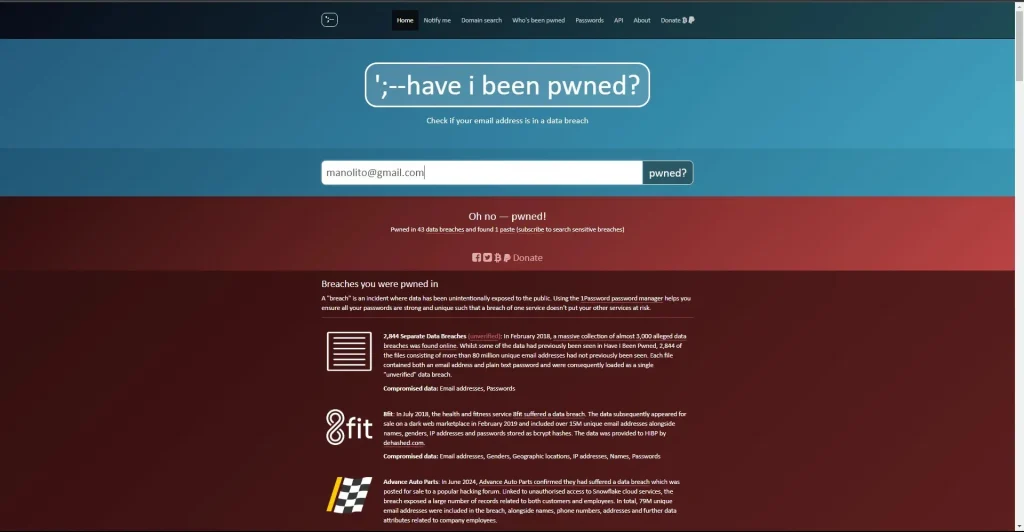
Step-by-step guide to using Have I Been Pwned
Step 1: Go to the Have I Been Pwned website
From your browser, go to: https://haveibeenpwned.com.
Step 2: Enter your email address
On the home page, you’ll see a search box. Enter the email address you want to check and click the “pwned?” button.
Step 3: Check the results
After a few seconds, you’ll get one of two possible results:
- “Good news — no pwnage found!”
If you see this message, congratulations! It means your email address hasn’t shown up in any known breaches. - “Oh no — pwned!”
If you see this message, it means your email has been found in one or more breaches. The page will show you a list of the services where the breach happened, along with the date and the type of information leaked (such as passwords, IP addresses or personal data).
Step 4: Take action if your email has been compromised
If your email turns up in a data breach, follow this advice:
- Change the password for the affected account right away.
Make sure to use a strong password you haven’t used anywhere else. A good trick is to combine uppercase and lowercase letters, numbers and symbols. - Enable two-factor authentication (2FA).
This adds an extra layer of security, so even if someone steals your password, they’ll need an additional code to get into your account. - Check other accounts that use the same password.
If you’ve reused that password on other sites, it’s crucial to change it there too. Avoid reusing passwords across different services. - Check the list of breaches.
Have I Been Pwned will show you details about what kind of information was exposed, so you can better assess the risks and protect yourself.
Step 5: Check whether your passwords have been compromised (optional)
Besides email addresses, HIBP lets you check whether any of your passwords have been exposed in a breach. To do this:
- Click the “Passwords” tab at the top of the page.
- Enter a password you want to check (make sure it’s a strong one and not your current password for another service).
- HIBP will tell you if that password has been leaked and, if so, will suggest you change it right away.
Step 6: Subscribe to alerts (optional)
To stay on top of future breaches affecting your email address, you can subscribe to HIBP alerts:
- On the results page, click “Notify me.”
- Enter your email address.
- HIBP will send you a confirmation email. Follow the instructions to activate alerts.
That way, if your email is compromised in the future, you’ll get a notification so you can act quickly.
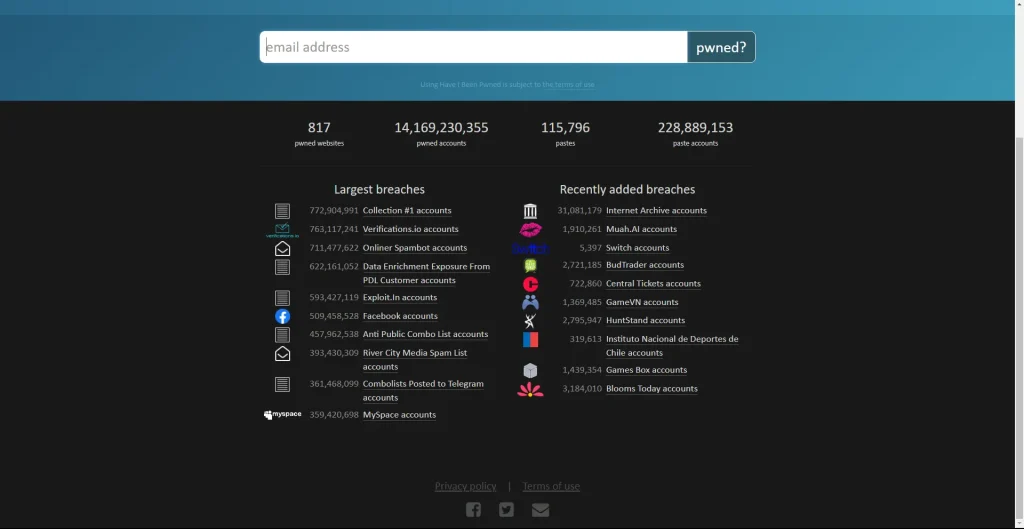
Have I Been Pwned is a simple, free tool that lets you check whether your personal information has leaked in a security breach. Using it regularly is good practice for protecting your privacy and the security of your online accounts. Remember to change your passwords often, use two-factor authentication whenever possible, and to strengthen your protection even further, consider relying on a VPN. That way you can browse the internet with more peace of mind!”